
№ 01 — Virtual staging · Staging & furniture
Virtual staging that reads the room.
Empty interiors furnished without scrubbing the bones — windows, beams, sightlines stay where the camera saw them.
 BeforeAfter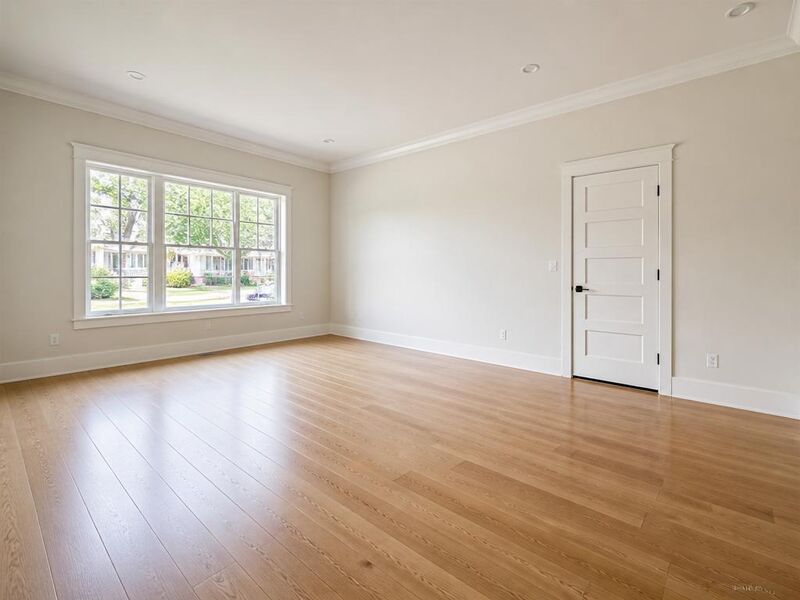
Virtual staging · Echo Park · 2BR · Mar 2026
More before / afters
Coastal

Coastal
Empty interiors furnished without scrubbing the bones — windows, beams, sightlines stay where the camera saw them.
Drag to compare · 01 / 06
The problem
A vacant interior photographs as a vacant interior. Buyers count tiles, see the cabling on the wall, and miss the room. Virtual staging is the move when you want the room to arrive at the viewer the way it would arrive at a Sunday-morning showing.
Vesta uses virtual staging on empty interiors as the first move in a New Listing run. The same engine, applied per-room, gives a listing the consistency a single furniture purchase would.
The standard
- Furniture sits on the floor it photographed on. No phantom rugs that pretend the polished concrete is wood.
- Light direction matches the original frame. Lamps cast where the windows already cast.
- The room's bones — beams, mouldings, sightlines — stay where they are. Virtual staging is furniture, not fiction.
The handoff
Output is hi-res JPG sized for MLS, portal, brochure, and Instagram, with a single zip containing the originals, every staged frame, and a manifest noting the style seed used.
Branded export presets bake your brokerage mark and contact line into the export. No watermark, no Vestaro lockup on the listing photo.
Companion tools
Virtual staging belongs to the Staging & furniture group. The companion tools handle adjacent symptoms in the same listing.
When Vesta runs it
Virtual staging is step 02 of the New Listing Kickoff run — applied to every empty interior after auto-classify.
Field notes
Read the studio note on virtual staging that holds the room's bones — what the studio refuses to fake, and why.
Field reading
Compare
Aerial drone vs ground exterior: when each viewpoint sells the listing
A drone shot shows the lot. A ground shot shows the entry. Both belong in a serious listing — but they answer different questions, and most marketing campaigns lead with the wrong one.
Compare
Photo enhancement vs reshoot: when post-processing is enough
A weak listing photo can be fixed with post-processing or by going back and shooting again. The choice depends on which kind of weakness — and most agents reach for the more expensive option when the cheaper one would have worked.
Compare
Object removal vs decluttering: surgical edit or full pass?
Both tools take things out of a listing photo. Object removal targets one item; decluttering sweeps the room. Choosing the wrong one either misses the problem or over-edits a perfectly good photo.
Compare
Phone vs professional photography for listings: what the camera actually changes
Modern phones produce strikingly good listing photos in good conditions. Professional cameras add headroom in bad conditions. A practical comparison for hosts, solo agents, and anyone deciding whether to hire a photographer this listing.
Where this lives
Part of the Staging & furniture entry in the tool catalog. When several tools in this group apply to the same listing, hand the listing to Vestaand let her plan the run.
When the next listing reaches you,