
Tutoriel / Home staging
Comment réaliser un home staging virtuel sur une photo
Un guide pas à pas pour transformer la photo d'une pièce vide en une image d'annonce meublée et prête à habiter — importer, styliser, vérifier et mentionner.
- Durée
- Environ 30 secondes
- Il vous faut
- Une photo de face de la pièce vide (JPG ou PNG)
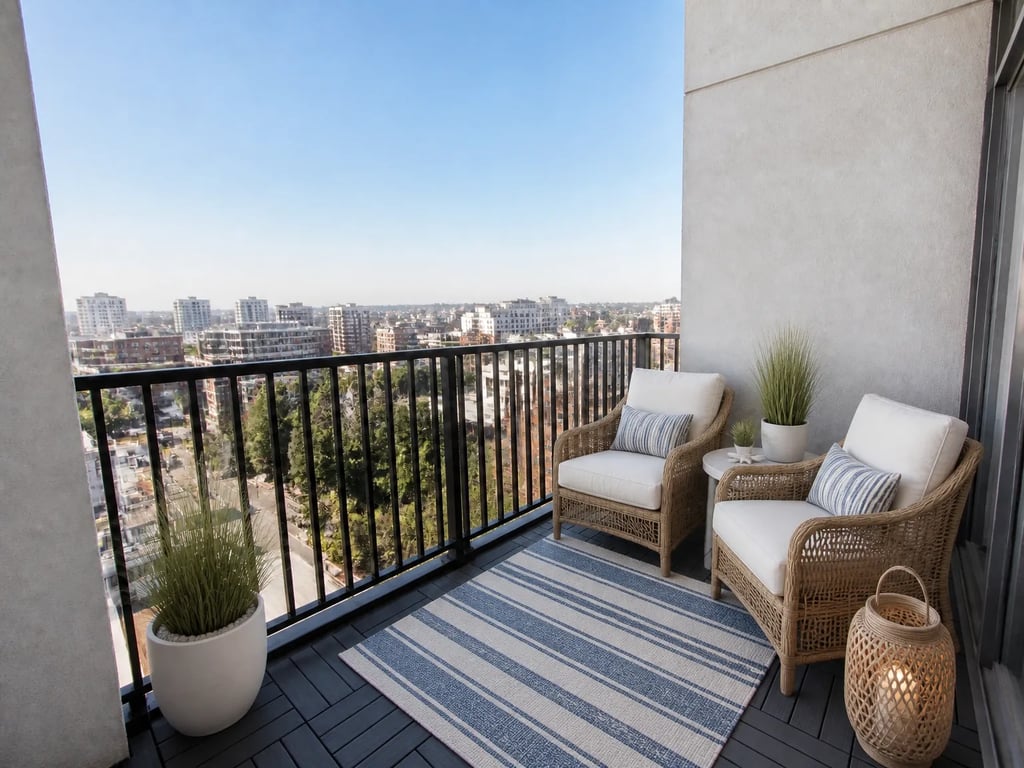 AvantAprès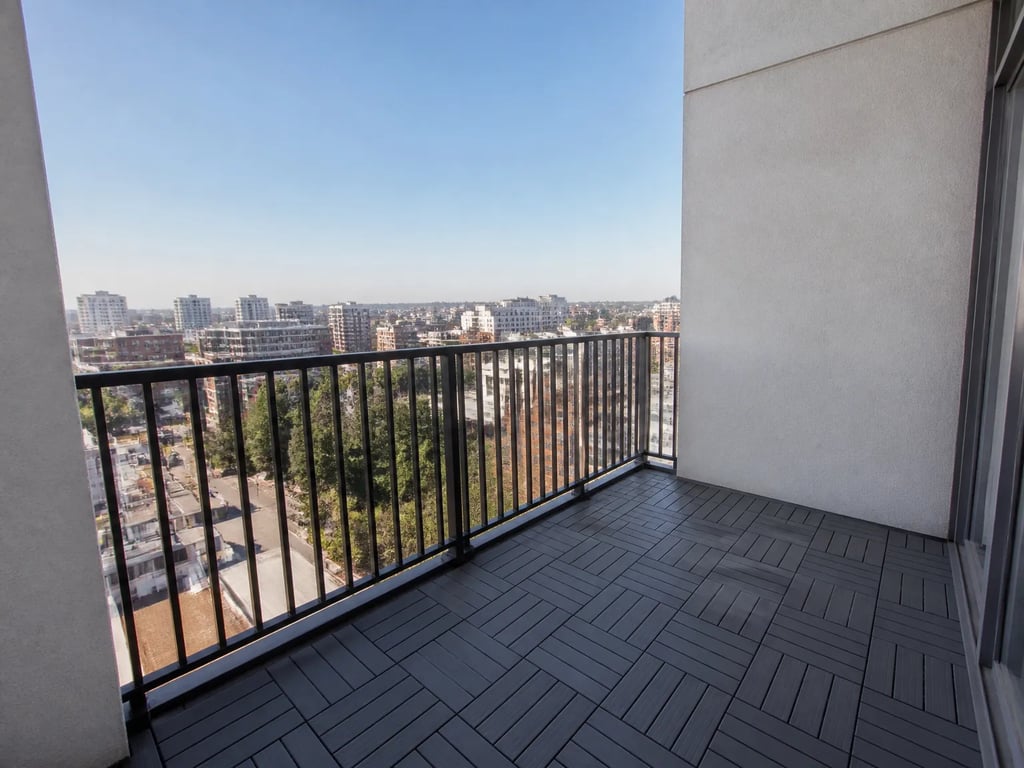
En bref
Un guide pas à pas pour transformer la photo d'une pièce vide en une image d'annonce meublée et prête à habiter — importer, styliser, vérifier et mentionner.
- 1
Importer la photo de la pièce
Ouvrez le studio et importez une photo nette, prise de face, de la pièce vide. Utilisez la plus haute résolution dont vous disposez, avec les murs, le sol et les fenêtres entièrement visibles.
- 2
Choisir le home staging virtuel
Sélectionnez l'outil de home staging virtuel. Les murs, le sol et les fenêtres de la pièce restent exactement tels qu'ils ont été photographiés — seuls le mobilier et la décoration sont ajoutés.
- 3
Choisir un style et un type de pièce
Choisissez un style de mobilier et confirmez la nature de la pièce (salon, chambre, bureau). Adaptez le style à l'acheteur le plus probable pour cette annonce.
- 4
Générer et vérifier
Lancez le rendu, puis contrôlez l'échelle et la lumière. Le mobilier doit reposer sur le vrai sol avec une taille crédible, et les ombres doivent suivre la direction de la lumière existante de la pièce.
- 5
Affiner si nécessaire
Si un élément paraît surdimensionné ou si l'agencement semble bancal, relancez la génération ou ajustez les options jusqu'à ce que la pièce paraisse naturelle plutôt que manifestement mise en scène.
- 6
Télécharger et mentionner
Téléchargez l'image finale et ajoutez une mention claire « home staging virtuel » avant publication, afin que les acheteurs sachent que le mobilier a été ajouté numériquement.
Tout l'intérêt de mettre en scène une photo est d'aider un acheteur à se projeter dans la pièce sans la dénaturer. Gardez l'architecture honnête, adaptez le style à l'acheteur et signalez la retouche — et la photo mise en scène convertira mieux que la pièce vide qu'elle remplace.
Pour les pièces occupées qui sont encombrées plutôt que vides, désencombrez d'abord, puis réalisez le home staging.
Le faire dans Vestaro
Outil de home staging virtuel→Questions fréquentes
Qu'est-ce qui fait une bonne photo à mettre en scène ?
Une prise de vue de face, bien éclairée, où le sol, les murs et les fenêtres sont entièrement visibles. Évitez les angles extrêmes et les cadrages très sombres — le home staging n'est crédible que dans la mesure où la pièce qui l'accueille l'est aussi.
Dois-je mentionner qu'une photo a fait l'objet d'un home staging virtuel ?
Dans la quasi-totalité des marchés, oui. Une légende visible « home staging virtuel » maintient l'annonce conforme et préserve la confiance des acheteurs. La pièce sous-jacente doit également être présentée de façon honnête.