
№ 01 — For Compass.com listings
Editorial staging that holds up at
Compass.com sizes.
Compass.com presents listings large and design-led — full-bleed heroes, generous galleries, and Compass Collections shared straight with buyers. Vestaro stages to that bar in about 15 seconds per photo, at your photographer’s full resolution, with one style brief across the whole set so nothing reads thin when it runs big.
Drag and drop a JPG or PNG, or browse. Two free renders — no signup, no card.
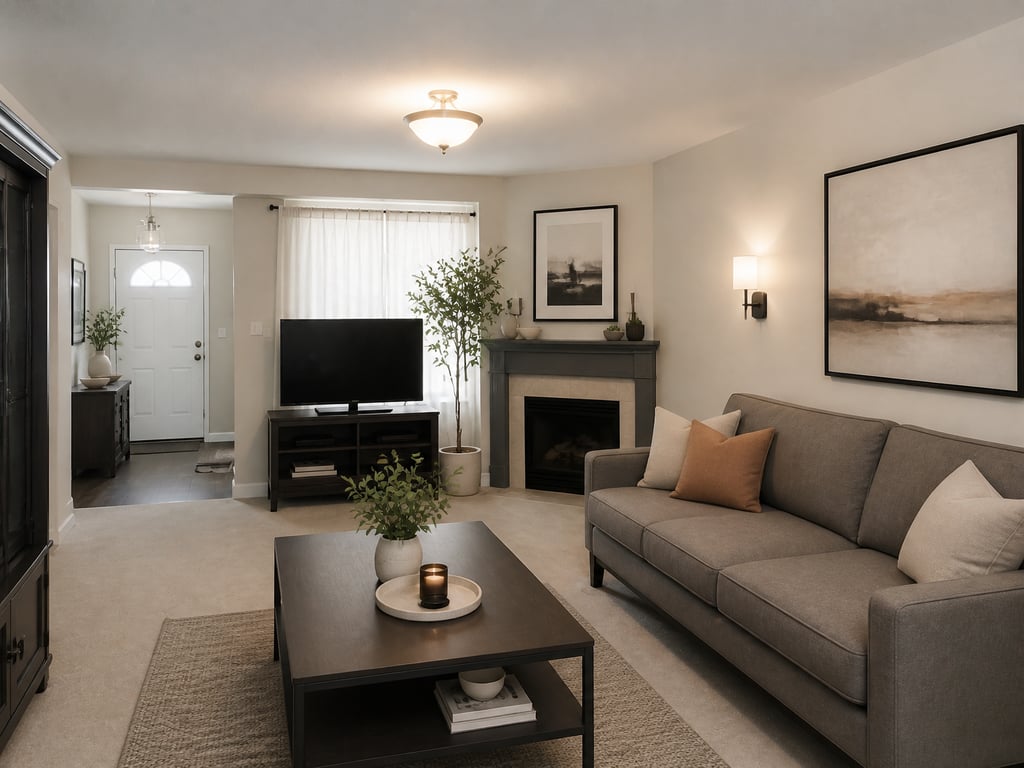 BeforeAfter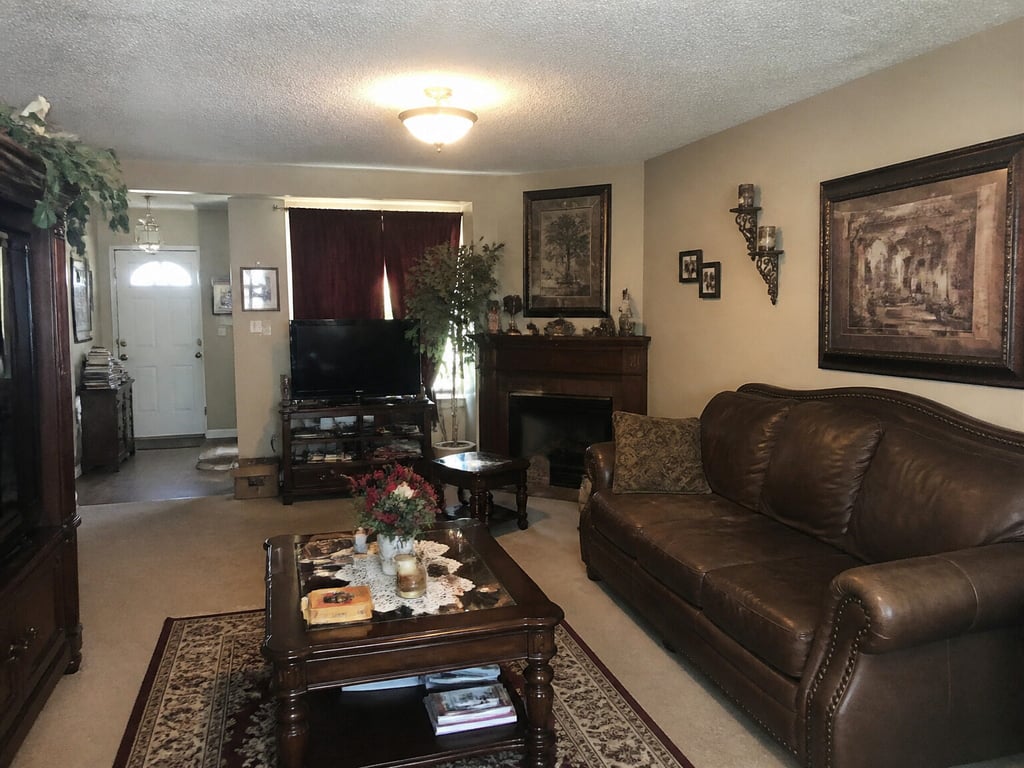
Used by agents publishing to Compass.com in New York, Los Angeles, Miami, San Francisco, and Aspen
Independent service. Not affiliated with or endorsed by Compass, Inc. Disclosure of virtual staging is the listing agent’s responsibility.
№ 08 — In the field
Working with listing teams across Los Angeles, Charlotte, Chicago, and a steady handful of independent brokerages.








Why Compass.com listings need different photos
Compass.com presents large, so the photo has to be editorial.
Photos run big and design-led
Compass.com leans on large, full-bleed photography and a clean editorial layout. At that scale a vacant room, soft focus, or off-color lighting is impossible to hide. Vestaro stages at the photographer’s native resolution so the hero stays crisp when it fills the screen.
Large presentation exposes weak photos
Compass Collections are shared with buyers
Agents curate listings into Compass Collections and share them directly with clients in a magazine-style folder. One staged room next to one vacant one breaks the curated feel. Vestaro keeps every listing in the Collection on the same register.
One register across the whole Collection
Private-exclusive teasers lead with one hero
Compass markets some listings as a private exclusive inside its network before they go wide. The teaser is essentially one hero photo and a short pitch — buyers either ask for more or move on. A staged hero earns the inbound.
A single image carries the teaser
Workflow
Drop Vestaro in between your photographer and Compass.


- 01
Upload your listing photos.
RAW, processed JPEG, or photographer-delivered finals — Vestaro accepts standard image files at full resolution.
- 02
Stage in about 15 seconds per photo.
Pick the room and an editorial style brief. Multi-angle consistency is the default — every photo in the set reads as one home across the whole Collection.
- 03
Export and publish to Compass.com.
Download standard JPGs or PNGs at full resolution. Upload through the Compass back end or your MLS, and add the MLS-required “Virtually Staged” caption.
Image specs
What Compass.com expects from photos — and how Vestaro matches it.
Compass doesn’t publish a strict spec sheet, but the consumer site is built around a large editorial detail page. These are the numbers that actually matter when you publish.
Minimum dimensions
The platform
Smaller uploads are accepted but re-encoded; the large editorial layout punishes low-res sources
What Vestaro outputs
Output preserves the input resolution — a photographer file at 4K+ stays 4K+ after staging.
Recommended dimensions
The platform
~2,400 px on the long edge for the hero; ≥ 1,920 px for gallery photos to stay sharp on retina screens
What Vestaro outputs
Common photographer deliveries (3000–6000px wide) pass through unchanged, so the hero stays sharp when Compass.com runs it full-bleed.
Aspect ratio
The platform
Detail-page hero is roughly 16:9; the gallery grid is mixed; the Collections card preview is closer to 4:3
What Vestaro outputs
Furniture and styling are placed centrally so the focal vignette survives the hero crop, the grid, and the Collections card.
File format
The platform
JPEG preferred; PNG accepted; HEIC accepted via the Compass uploader
What Vestaro outputs
JPEG export by default at high quality; PNG export available for floor plans and brochure assets.
Photos per listing
The platform
No hard cap; Compass.com listings routinely run 40–80 photos in the editorial grid
What Vestaro outputs
Per-render pricing scales to a full editorial set — staging 50 photos runs about $35 on the Pass tier.
Photo order
The platform
Agent-controlled in the Compass back end; the first photo is the hero across Compass.com, Collections, and any teaser
What Vestaro outputs
Stage the hero first — usually a twilight exterior or a single editorial interior — then kitchen, primary, and living. Vestaro keeps one style brief across the set.
Values reflect the Compass back end and Compass.com detail-page behavior as of mid-2026. Compass updates the consumer surface frequently — always verify in the back end before publishing.
Display slots
The Compass.com surfaces you’re actually optimizing for.
Vestaro output isn’t just a JPEG — it has to hold up across the specific surfaces Compass renders into.
Compass.com detail page
A large, editorial layout: full-bleed hero, mixed-aspect photo grid, neighborhood block, and agent card. Buyers on an active search spend real time here.
Vestaro fit. Consistent editorial register across the full set — color temperature, furniture style, and styling density all hold from photo to photo as buyers scroll.
Compass Collections share
A curated listing folder the agent shares with a buyer client. Each card uses the hero photo, and the side-by-side comparison is where the buying conversation happens.
Vestaro fit. Multi-angle consistency keeps every listing in a Collection on one register, so the folder reads as agent-curated rather than assembled from portals.
Private-exclusive teaser
A pre-wide surface inside the Compass network. The teaser is one hero photo, the address, and a short pitch — buyers either request more or move on.
Vestaro fit. Stage the strongest single photo first — twilight exterior or one editorial interior — to earn the inbound before the listing goes wide.
Compass mobile app
Where most active buyers browse on the move. A square thumbnail in the feed, a swipeable hero on the detail page, and the grid in landscape.
Vestaro fit. Bright, well-staged heroes with centered focal vignettes read clearly at app-thumbnail scale — no muddy details, no over-busy compositions.
Use cases
The listings that benefit most from Compass-grade staging.
Six property profiles where Compass.com’s large, editorial presentation makes staging non-optional.
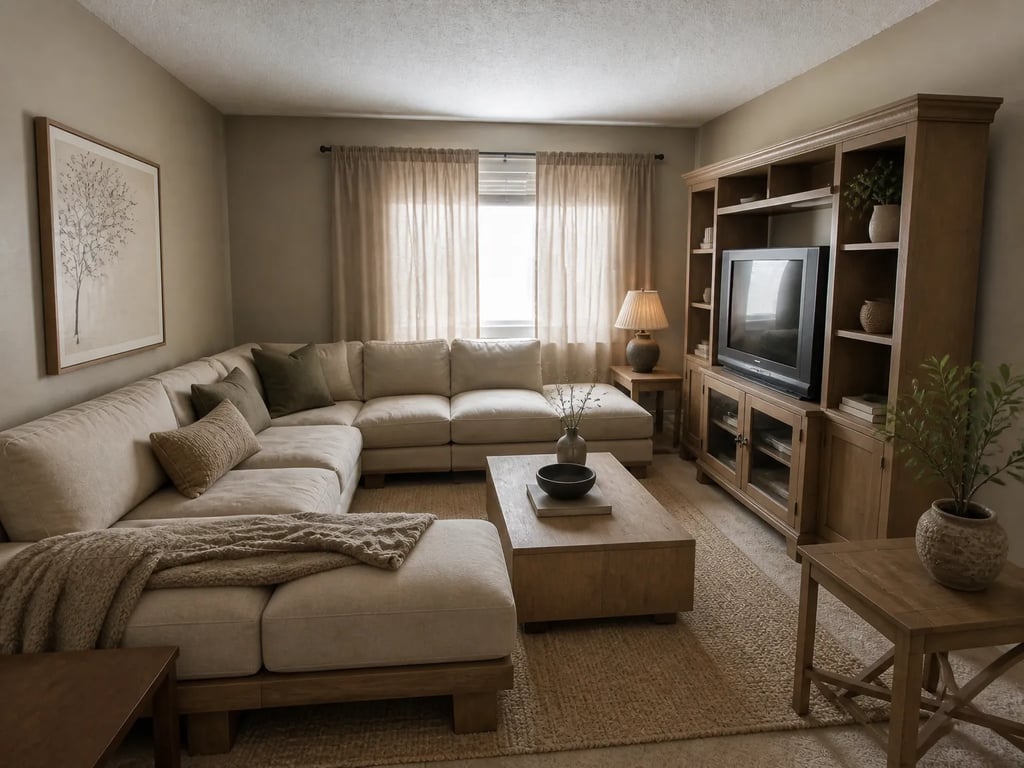
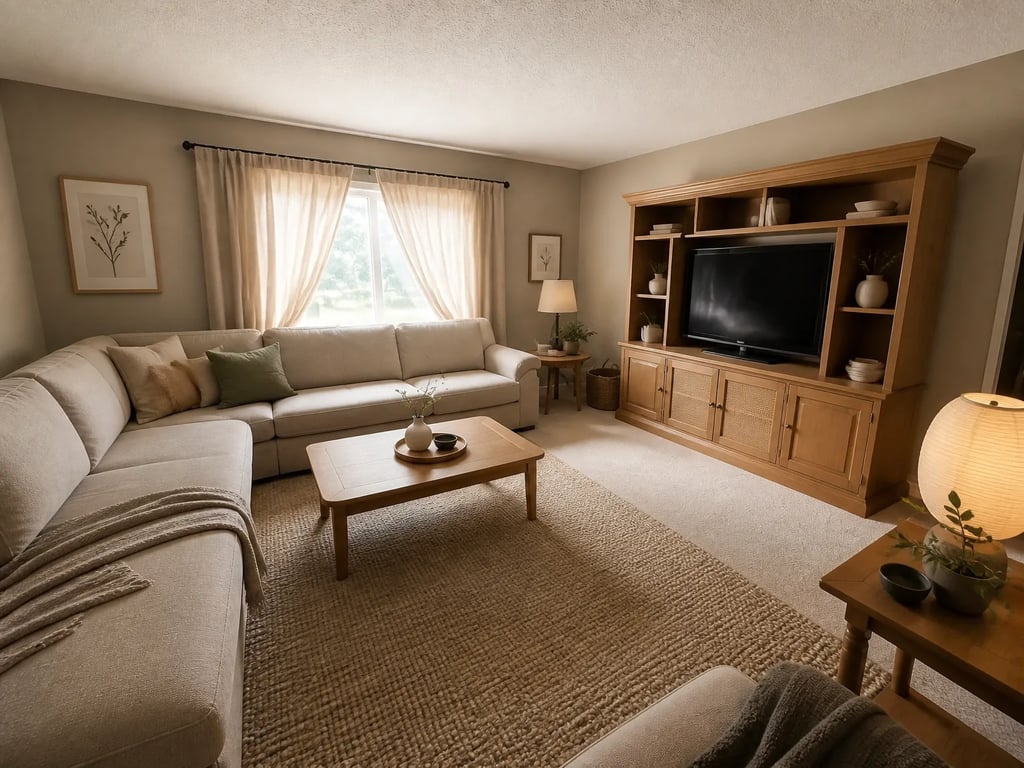 BeforeAfter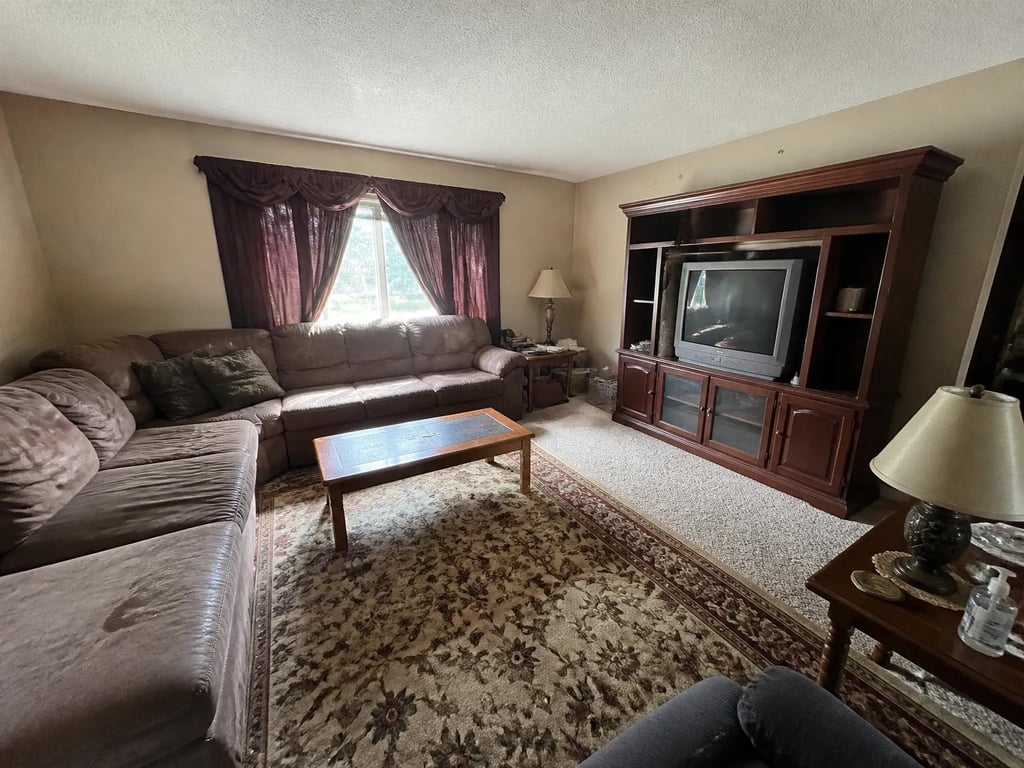
Luxury vacant single-family
Vacant in a design-led market reads worse than vacant in the suburbs — stage every key room before it hits Compass.com.
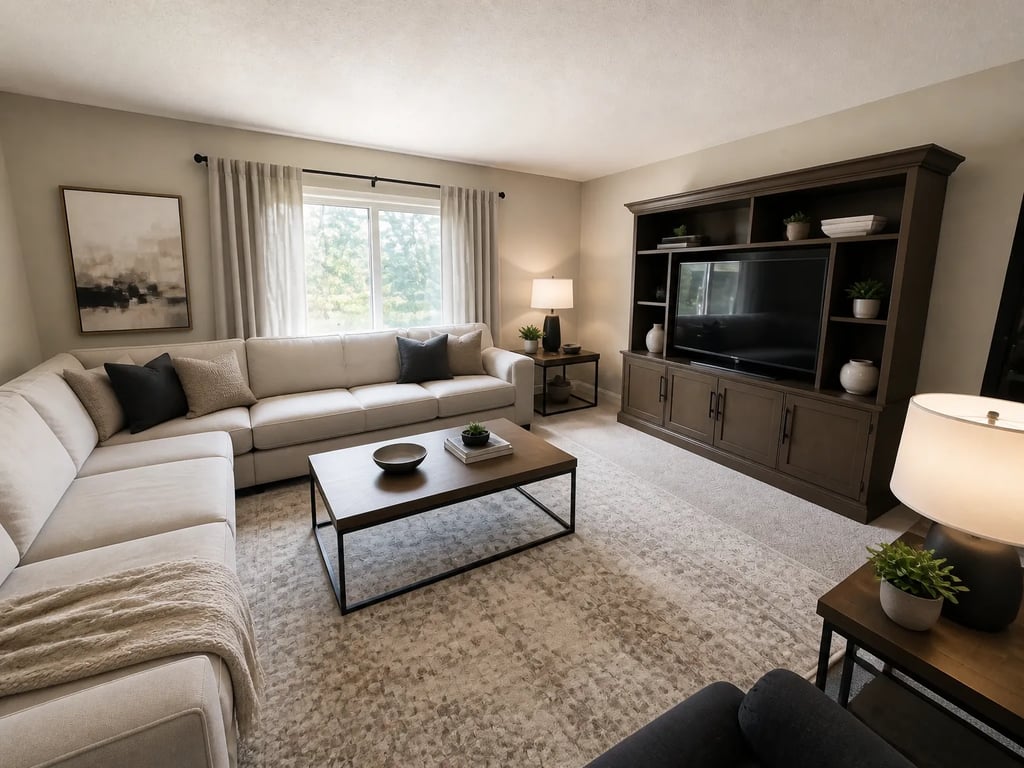
 BeforeAfter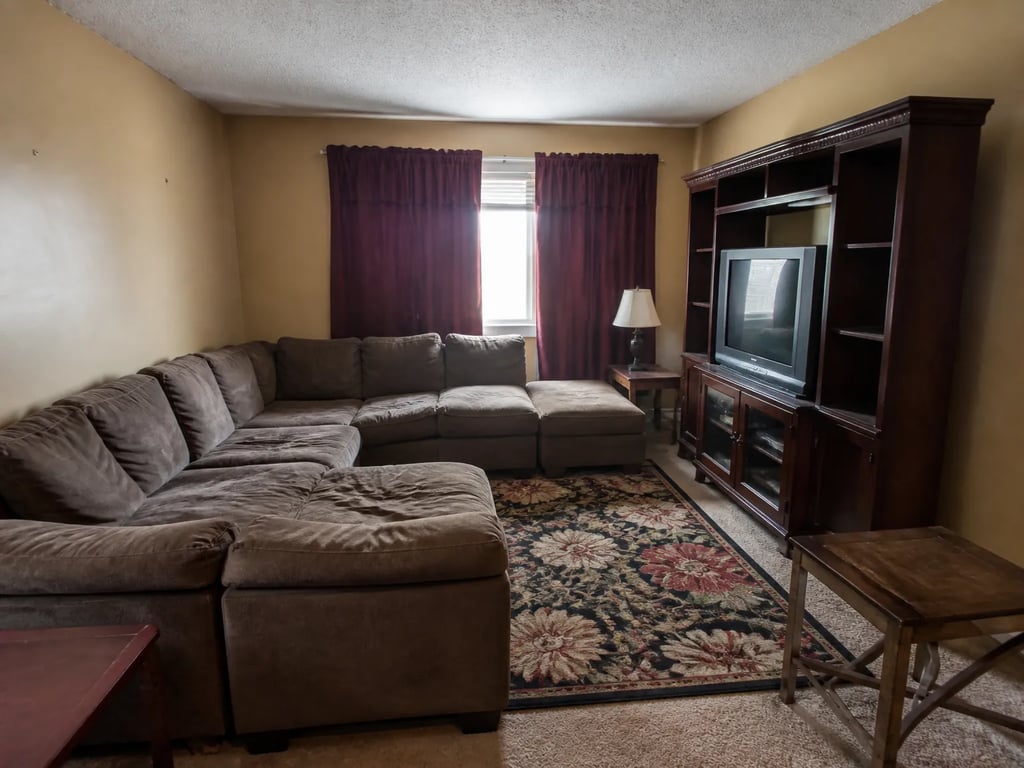
Private-exclusive teaser
The teaser is a single-photo bet — stage the strongest hero before you push it to the Compass network.
 BeforeAfter
Urban high-rise condo
An empty condo with a strong view needs staged interiors to ground it — otherwise the buyer sees a vacant box and a skyline.
BeforeAfterDated luxury refresh
Heavy upholstery and dated styling sink even premium listings at large sizes — same angle, modern editorial register.
BeforeAfterDay-to-dusk editorial exterior
A magazine-grade dusk exterior is the highest-converting hero on the Compass detail page — no re-shoot needed.
BeforeAfterMulti-listing buyer Collection
Stage every listing in a buyer’s Collection on one editorial register so the folder feels curated, not assembled.
Compass.com publishers on Vestaro
How agents publishing to Compass.com actually use it.
My listings run full-bleed on Compass.com, so a vacant living room is the first thing a buyer sees at full screen. I stage the hero and the main rooms before anything goes live now — it reads like the rest of my book instead of a one-off.
Camille R.Listing Agent, Los Angeles, CACollections are how I actually win buyers. When every listing in the folder is staged on the same register, it reads as something I curated. Vestaro keeps the whole set consistent without me re-briefing a stylist each time.
Jonah B.Listing Agent, New York, NYFor a private exclusive I have one photo to earn the inbound. Fifteen-second renders mean I can stage the dusk exterior the same morning the seller signs and have the teaser out by lunch.
Sofia D.Listing Agent, Miami, FLMy listings run full-bleed on Compass.com, so a vacant living room is the first thing a buyer sees at full screen. I stage the hero and the main rooms before anything goes live now — it reads like the rest of my book instead of a one-off.
Camille R.Listing Agent, Los Angeles, CACollections are how I actually win buyers. When every listing in the folder is staged on the same register, it reads as something I curated. Vestaro keeps the whole set consistent without me re-briefing a stylist each time.
Jonah B.Listing Agent, New York, NYFor a private exclusive I have one photo to earn the inbound. Fifteen-second renders mean I can stage the dusk exterior the same morning the seller signs and have the teaser out by lunch.
Sofia D.Listing Agent, Miami, FL
Pricing for Compass.com publishers
Per-render pricing that fits a 40–80 photo editorial set.
Most agents publishing to Compass.com land on Pass — enough volume for a full editorial set across several listings a month, at about $0.71 a render. High-volume publishers go Member.
Drop-in
Each image reviewed before delivery.
180 renders / year · billed annually
For solo agents working a few listings at a time.
Pass
Most popularEach image reviewed before delivery.
600 renders / year · billed annually
For active agents with steady listings.
Member
Each image reviewed before delivery.
1,800 renders / year · billed annually
For studios and teams with high listing volume.
What Compass.com publishers ask before signing up
Common questions
Yes. Compass accepts virtually staged photos as long as the listing complies with the host MLS’s disclosure rules — typically a “Virtually Staged” label in the photo caption or remarks. The same convention applies to private-exclusive listings inside the Compass network. Vestaro output is policy-neutral; the disclosure is your responsibility.
No — and the Compass.com detail page actually rewards visual polish. The site is editorial by design, and clean, consistent staging lifts dwell time, Collections saves, and inbound on private-exclusive teasers. The downside risk is buyer trust if you don’t disclose; the upside is more engagement on a high-visibility surface.
Yes. Compass Collections inherits the hero photo from each listing. When every listing in a Collection is staged on the same register, the folder reads as agent-curated rather than assembled from portals — and that consistency is what moves the conversation forward with the buyer.
A private-exclusive teaser exposes a single hero photo to the Compass network. Stage the strongest single image first — usually a day-to-dusk exterior or one editorial interior — and use that as the teaser hero. Stage the full set later for the wide MLS launch.
Compass doesn’t publish a hard spec sheet, but the large editorial layout punishes low-res sources. Plan for ~2,400 px on the long edge for the hero and ≥ 1,920 px for gallery photos. Vestaro preserves your photographer’s native resolution (typically 3000–6000 px wide), so you stay above the threshold.
Direct Compass back-end uploads typically reflect on Compass.com within a short window, while MLS-fed downstream portals catch up within a few hours. Vestaro’s 15-second render time means you can iterate a teaser hero in the same morning, not a week.
Run a listing portal or MLS? Embed the studio in your upload flow with per-platform export presets and an API.
For portals & MLS →More platforms
Stage for the other listing platforms too.
Same product underneath — different photo rules, display slots, and buyer feed.
View all platforms →Get started
Your next listing deserves better photos.
Start staging in seconds. No credit card, no design skills.
Drag & drop your listing photo here
JPG, PNG, WebP, AVIF, HEIC
Trademark notice. Vestaro is an independent service. Compass and Compass Collections are trademarks of Compass, Inc. Vestaro is not affiliated with, endorsed by, or sponsored by Compass, Inc. All trademarks belong to their respective owners.