
№ 27 — Aerial & drone photo editing · Exterior & curb appeal
Aerial & drone photo editing — the frame the lens read flat.
A finishing tool built for the view from above. Altitude haze, milky sky, washed-out lawn, leaning verticals, the wide lens bending the property line — all read as themselves again.
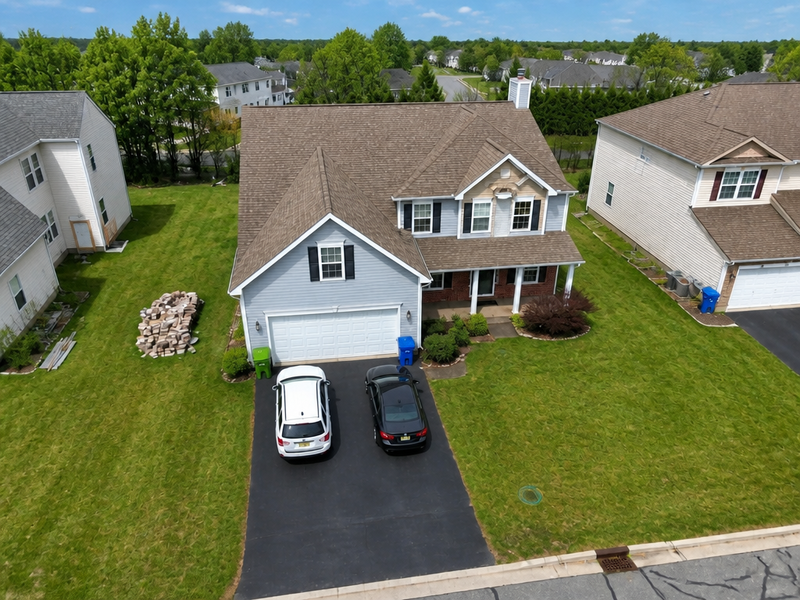 BeforeAfter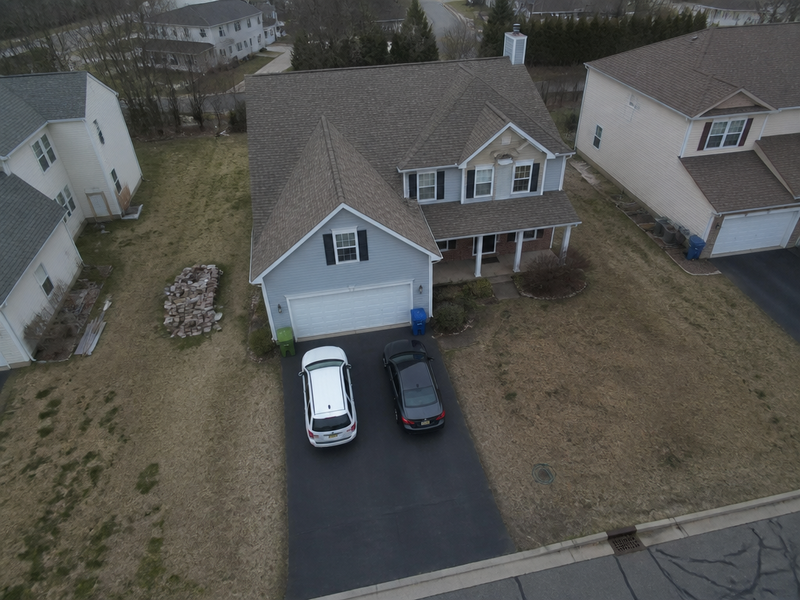
Aerial & drone photo editing · property from 80m
More before / afters
Full correct
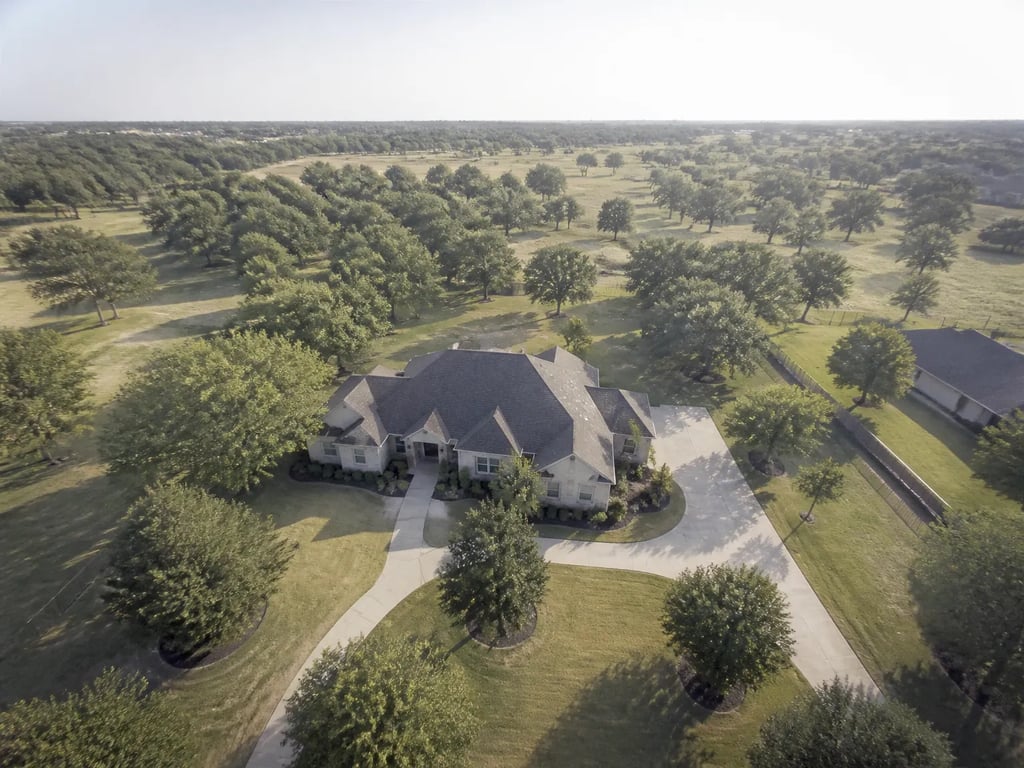
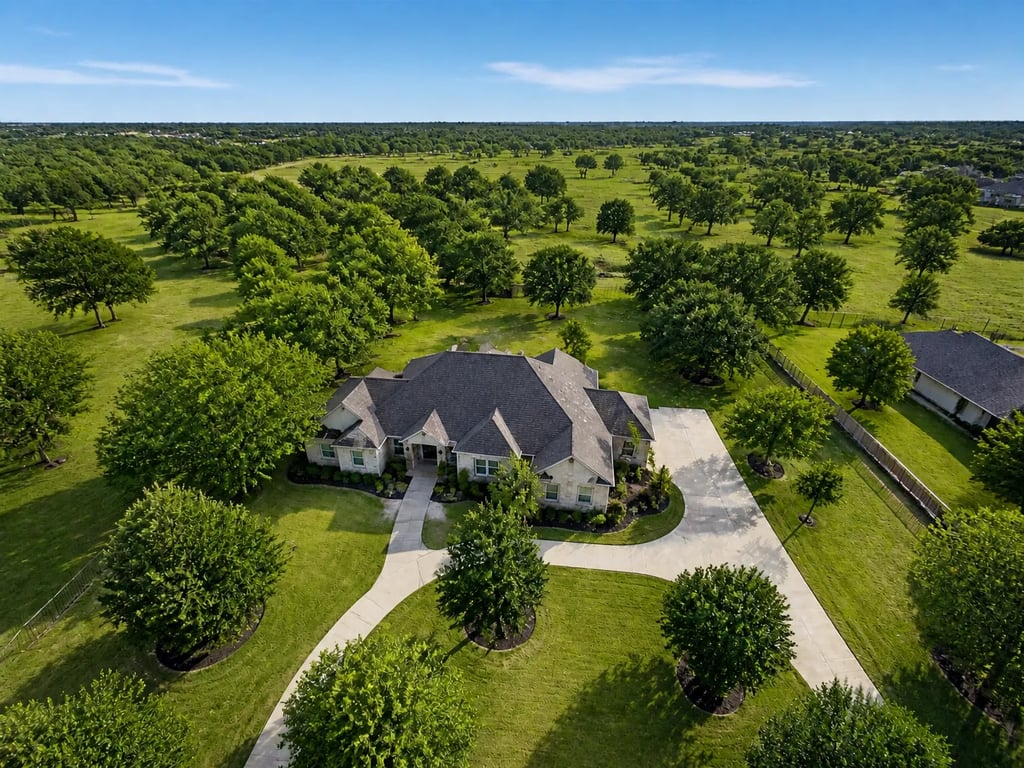
Full correct
A finishing tool built for the view from above. Altitude haze, milky sky, washed-out lawn, leaning verticals, the wide lens bending the property line — all read as themselves again.
Drag to compare · 01 / 04
The problem
A drone frame is not a ground frame shot from higher up. The camera looks through more air, the sensor is small, the lens is wide, and the propellers shake the gimbal at a frequency the stabiliser does not fully cancel. The result, even from a careful pilot, is a photograph with milky atmospheric haze, a sky that lost its hue to altitude, a lawn that reads grey instead of green, and a property line that bows slightly because the lens is 24mm-equivalent or wider.
Aerial & drone photo editing is the finishing tool for those frames. It reads the image as an aerial — not as an exterior — and corrects what altitude, lens, and small sensors took out of it. The roof, the lot, and the neighbourhood return to the colour and geometry the buyer would see standing in the yard.
The standard
- Altitude haze is removed first — micro-contrast on the building, the roof material, and the lot reads cleanly without raising saturation.
- Sky is rebuilt to a believable altitude sky, not a postcard one. Sun direction is preserved; the building light below is never re-coloured.
- Lawn, foliage, treetops, and any water in the frame are colour-corrected toward true. Brown patches stay brown if they are real; grey-from-haze becomes green.
- Wide-lens distortion is removed — the bow on the property line and the slight stretch at the frame corners straighten without re-cropping.
- Horizon is levelled to a single horizontal reference, even when the visible horizon is blocked by trees or a hill.
- The building under the camera stays where it is. The aerial reads as the same property, only the air between the drone and the ground is gone.
The handoff
Hi-res JPG at the original aspect ratio, paired with the untouched original. Drones shoot wider than portals expect — the file ships at the drone’s native ratio so a 16:9 listing crop is still possible without re-rendering.
Companion tools
Aerial & drone photo editing sits alongside the rest of the Exterior & curb appeal group — when a drone frame is the listing’s cover image, the ground frames usually want a matching pass so the set reads as one shoot.
When Vesta runs it
Used as a single-step move on the aerial frames in a listing set — typically two or three per shoot, including the cover-image hero and the property-boundary frame. The aerial pass runs independently of the ground-frame pipeline.
Field notes
Read the studio note on aerial frames that read as aerials — haze cleared first, sky rebuilt for altitude, the wide lens taken back to straight.
Field reading
Compare
Aerial drone vs ground exterior: when each viewpoint sells the listing
A drone shot shows the lot. A ground shot shows the entry. Both belong in a serious listing — but they answer different questions, and most marketing campaigns lead with the wrong one.
Compare
Photo enhancement vs reshoot: when post-processing is enough
A weak listing photo can be fixed with post-processing or by going back and shooting again. The choice depends on which kind of weakness — and most agents reach for the more expensive option when the cheaper one would have worked.
Compare
Object removal vs decluttering: surgical edit or full pass?
Both tools take things out of a listing photo. Object removal targets one item; decluttering sweeps the room. Choosing the wrong one either misses the problem or over-edits a perfectly good photo.
Compare
Phone vs professional photography for listings: what the camera actually changes
Modern phones produce strikingly good listing photos in good conditions. Professional cameras add headroom in bad conditions. A practical comparison for hosts, solo agents, and anyone deciding whether to hire a photographer this listing.
Where this lives
Part of the Exterior & curb appeal entry in the tool catalog. When several tools in this group apply to the same listing, hand the listing to Vestaand let her plan the run.
When the next listing reaches you,