

Tutoriel / Nettoyage
Comment supprimer un objet d'une photo d'annonce
Effacez proprement une voiture, une poubelle, un câble ou un reflet d'une photo d'annonce et reconstruisez l'arrière-plan derrière l'élément, pour faire disparaître la distraction sans laisser de trace.
- Durée
- Environ 30 secondes
- Il vous faut
- La photo contenant l'objet indésirable (JPG ou PNG)
 AvantAprès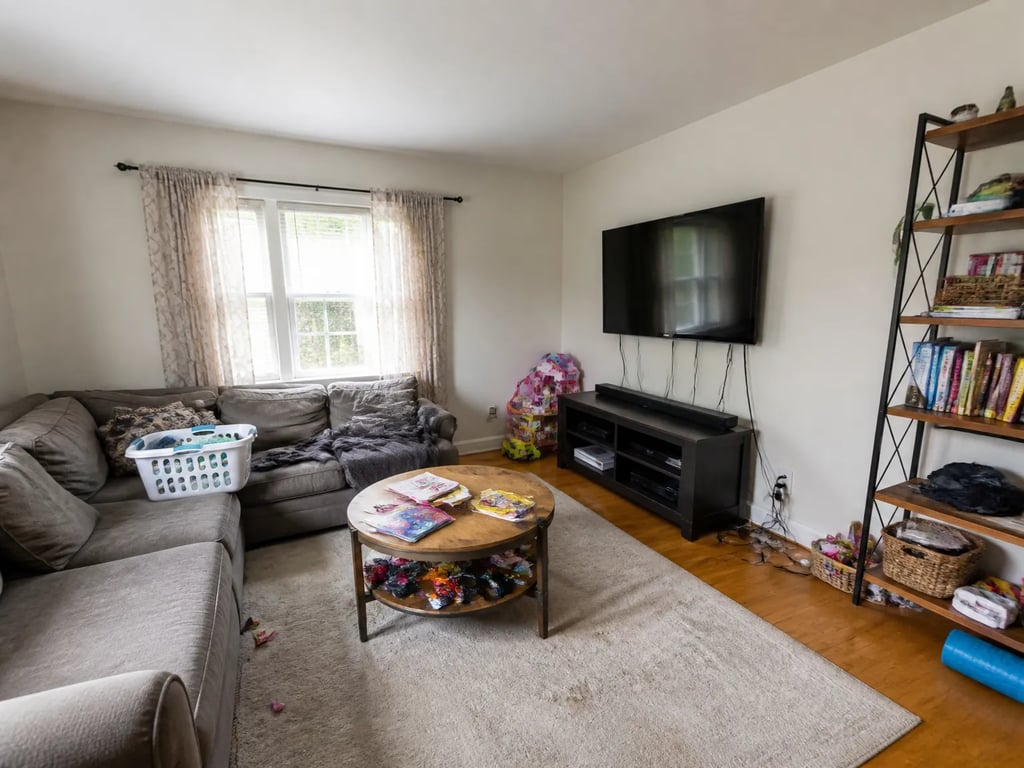
En bref
Effacez proprement une voiture, une poubelle, un câble ou un reflet d'une photo d'annonce et reconstruisez l'arrière-plan derrière l'élément, pour faire disparaître la distraction sans laisser de trace.
- 1
Importer la photo
Importez l'image contenant la distraction — la voiture d'un voisin, une poubelle, une ligne électrique ou un reflet.
- 2
Sélectionner la suppression d'objets
Choisissez l'outil de suppression d'objets, qui efface un élément choisi et reconstruit ce qui se trouvait derrière.
- 3
Marquer ce qu'il faut supprimer
Indiquez l'objet dont vous voulez vous débarrasser. Soyez généreux autour de ses contours et de l'ombre qu'il projette, pour ne rien laisser derrière.
- 4
Générer le résultat net
Lancez la suppression. Vérifiez que la zone reconstruite — allée, mur ou ciel — s'harmonise avec son environnement, sans bavures ni texture répétée.
- 5
Confirmer que le rendu paraît naturel
Regardez l'endroit où se trouvait l'objet. Une suppression réussie est indétectable ; si l'on devine que quelque chose s'y trouvait, affinez et relancez.
- 6
Télécharger la photo
Téléchargez l'image nettoyée. Supprimer des objets temporaires et déplaçables est une pratique courante — il ne faut simplement jamais effacer un élément permanent ou un défaut dont l'acheteur héritera.
La suppression d'objets est l'outil de nettoyage précis, élément par élément. Le plus difficile n'est jamais l'effacement — c'est la reconstruction de ce qui était caché, pour que la retouche soit invisible. Pour dégager le désordre général d'une pièce entière plutôt qu'un seul élément, voyez comment désencombrer une pièce numériquement.
Le faire dans Vestaro
Outil de suppression d'objets→Tutoriels liés
Questions fréquentes
Quels objets peut-on supprimer sans risque d'une photo d'annonce ?
Les éléments temporaires et déplaçables — voitures, poubelles, tuyaux, lignes électriques, panneaux et reflets du photographe. Supprimer un élément permanent ou masquer un défaut pour induire l'acheteur en erreur n'est pas acceptable.
Et si je veux nettoyer toute une pièce, et non un seul objet ?
Il s'agit alors de désencombrement — la même capacité appliquée largement à toute une pièce. Utilisez le tutoriel de désencombrement pour dégager l'encombrement général plutôt qu'un élément précis.