
№ 01 — For Apartments.com listings
Virtual staging that earns
the tour request on Apartments.com.
Apartments.com renters don't buy — they decide in a week whether to tour. The hero photo, the in-unit shots, and the amenity gallery have to do that work in a vacant unit between tenants. Vestaro stages the empty unit in about 15 seconds per photo, at the resolution the CoStar dashboard expects, with one style brief across the whole set.
Drag and drop a JPG or PNG, or browse. Two free renders — no signup, no card.
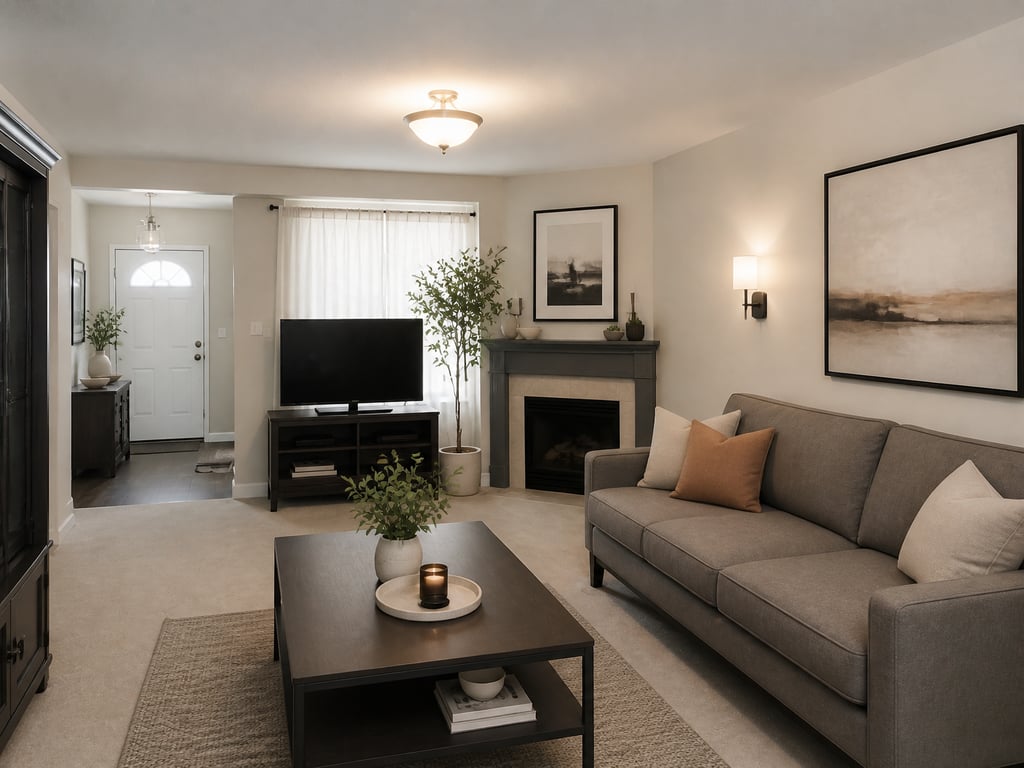 BeforeAfter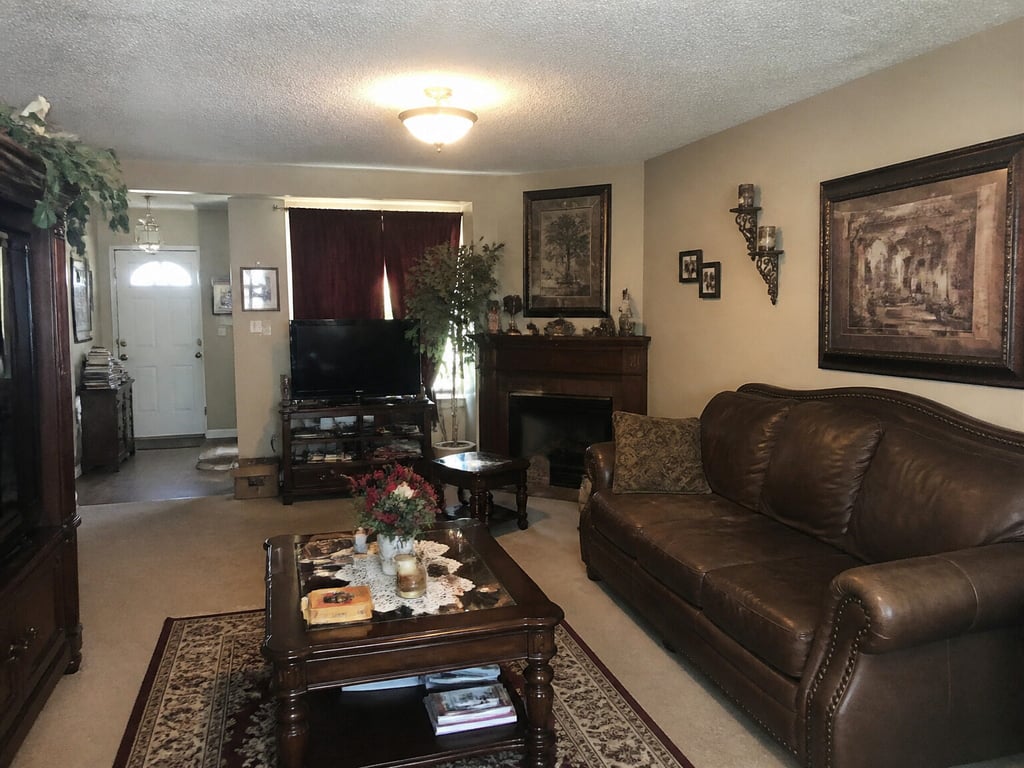
Used by property managers and leasing teams publishing to Apartments.com in LA, NYC, Atlanta, Dallas, and Denver
Independent service. Not affiliated with or endorsed by CoStar Group, Inc. Disclosure of virtual staging is the lister’s responsibility.
№ 08 — In the field
Working with listing teams across Los Angeles, Charlotte, Chicago, and a steady handful of independent brokerages.








Why Apartments.com listings need different photos
Apartments.com is rentals, not sales — the photo job changes.
Renters tour, they don’t buy
Apartments.com decisions happen in days, not months, and the only metric that matters is the tour request. A vacant unit with empty rooms reads as a partial listing; a staged unit reads as move-in ready. Vestaro stages the hero — and the rest of the set — so the empty unit earns the inquiry.
Renter decision window: about 3–10 days
Stage once, re-stage every lease cycle
A multifamily unit re-leases every 12–18 months. Photograph the empty unit once during the turn, then re-stage the same source set with a fresh style brief each cycle — modern, neutral, family — without booking another shoot. Vestaro pricing is per render, not per unit.
Re-use the empty-unit photos indefinitely
One set across the CoStar network
Apartments.com is part of CoStar's rental portfolio — ForRent.com, ApartmentFinder, ApartmentHomeLiving, Doorsteps, Westside Rentals. One staged set syndicates across the network, so your photos do the work on several surfaces, not one.
Syndicates across the CoStar rental network
Workflow
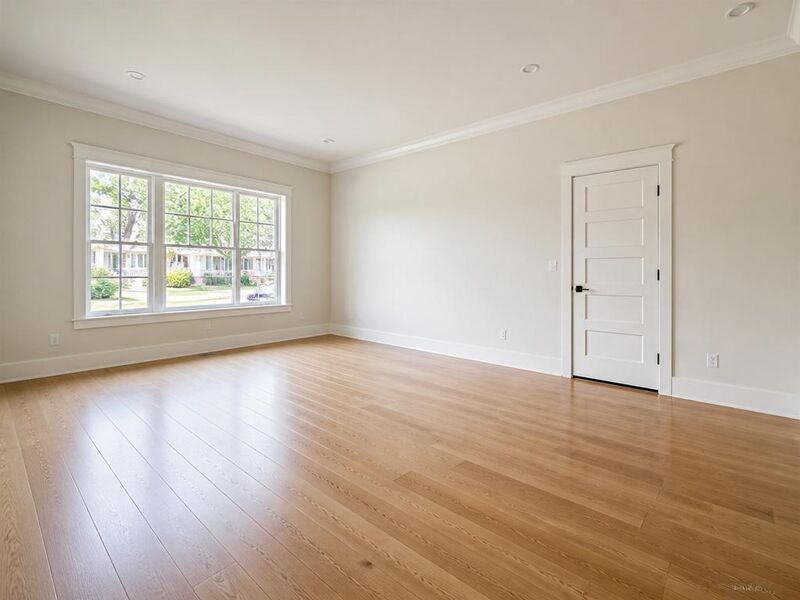
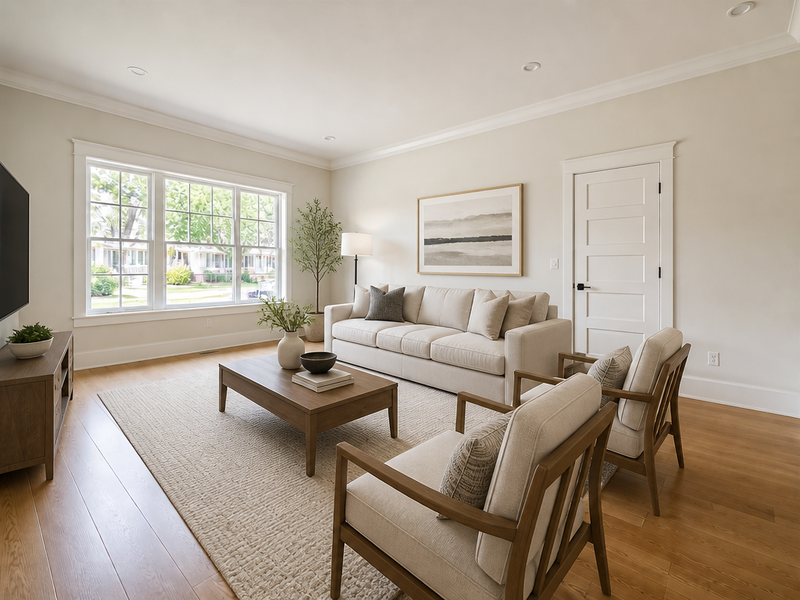
Stage between tenants. Re-stage every lease cycle.
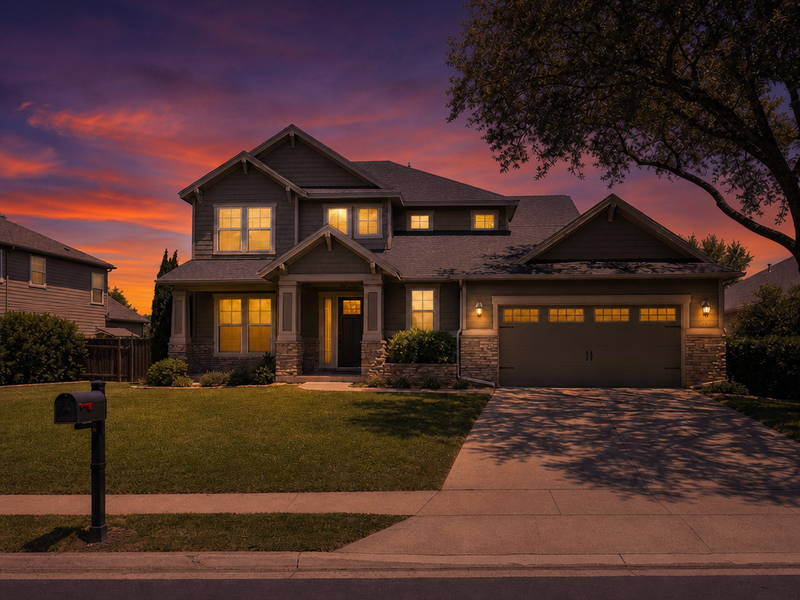
- 01
Shoot the unit empty, once.
During the turn between tenants, capture every room and amenity space. Photographer delivery or a clean smartphone set — Vestaro accepts standard image files.
- 02
Stage in about 15 seconds per photo.
Pick the room and a style brief that matches the building positioning. Multi-angle consistency is the default — every unit shot reads as one home, not eight.
- 03
Upload to your CoStar dashboard.
Download ready-to-upload JPGs at full resolution and drop them straight into the CoStar dashboard. Photos syndicate across the network, and you add the “Virtually Staged” note where your local rules require it.
Image specs
Apartments.com photo requirements — and how Vestaro matches them.
Apartments.com doesn't depend on an MLS feed — managers upload directly through the CoStar dashboard, so the specs are tighter and more predictable than the MLS-driven portals.
Minimum dimensions
The platform
800 × 600 px minimum via the CoStar uploader; smaller files are rejected
What Vestaro outputs
Output preserves the input resolution — even a clean smartphone photo stays well above the 800px minimum.
Recommended dimensions
The platform
~1,920 × 1,440 px ideal; the hero renders nearly full-screen on the detail page
What Vestaro outputs
Photographer files at 3000–6000px wide pass through unchanged, so the full-screen hero stays sharp on retina displays.
Aspect ratio
The platform
Detail-page hero is roughly 16:9; gallery is 4:3; feed thumb is a center square crop
What Vestaro outputs
Furniture and styling are placed centrally so the focal vignette survives the square thumb and the 16:9 hero alike — nothing critical in the cropped margins.
File format
The platform
JPEG preferred; PNG accepted, and HEIC via the CoStar uploader
What Vestaro outputs
Ready-to-upload JPG by default at high quality; PNG export available for floor-plan and amenity diagrams.
Photos per listing
The platform
Up to ~50 on Diamond/Platinum tiers; Silver/Gold caps near ~25; basic listings ~12
What Vestaro outputs
Per-render pricing scales to the tier — staging a 50-photo Diamond listing runs about $35 on the Pass tier.
Photo order
The platform
Manager-controlled in the CoStar dashboard; the first photo is the hero everywhere
What Vestaro outputs
Stage the hero first, then a living/dining shot, the primary bedroom, the kitchen, and the amenity spaces — Vestaro keeps one style brief across the set.
Values reflect the Apartments.com CoStar dashboard as of mid-2026. Tier limits vary by market and contract — always verify in your CoStar account before publishing.
Display slots
The Apartments.com surfaces you’re actually optimizing for.
Apartments.com isn't a single search feed — it's the CoStar rental network across several sites. Your photo set has to land on each one without re-staging.
Search-feed listing card
Card view in the renter search feed: a square hero, rent range, beds and baths, and a verified badge on paid tiers. Most renter sessions never leave this view.
Vestaro fit. Bright, well-staged heroes with centered focal vignettes read clearly at small card sizes — no muddy mid-tones, no over-busy compositions.
Detail-page hero and gallery
The full unit experience: a large roughly 16:9 hero, a tap-through gallery, the floor plan, amenity tabs, and a rent rating. Renters spend a minute or two here before requesting a tour.
Vestaro fit. Consistent style and color register across the unit shots and the amenity shots — the gallery reads as one property, not a stitched collage.
Amenity-tab photo set
Apartments.com separates unit photos from amenity photos — pool, gym, lobby, coworking, dog run. Each tab needs at least one strong image to signal a premium building.
Vestaro fit. Stage empty amenity spaces with furniture and warm lighting — pool loungers, gym props, lobby seating — so they read as lived-in, not freshly poured.
CoStar network cross-listings
Your Apartments.com photos syndicate to ForRent.com, ApartmentFinder, ApartmentHomeLiving, Doorsteps, and Westside Rentals — the same files in front of different renter audiences.
Vestaro fit. Standard JPG output works on every CoStar rental surface — one staged set across several sites of inventory, with no per-platform re-render.
Use cases
The rental listings that benefit most from Apartments.com-tuned staging.
Six rental profiles where staging the empty unit pays back inside a single lease cycle.
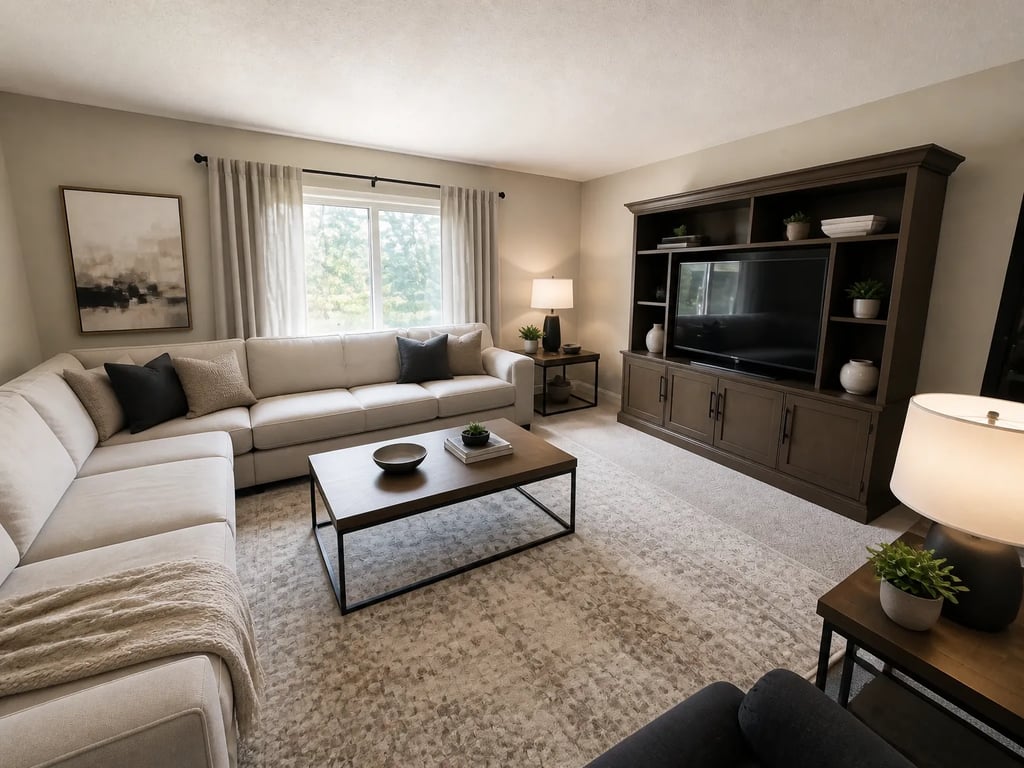 BeforeAfter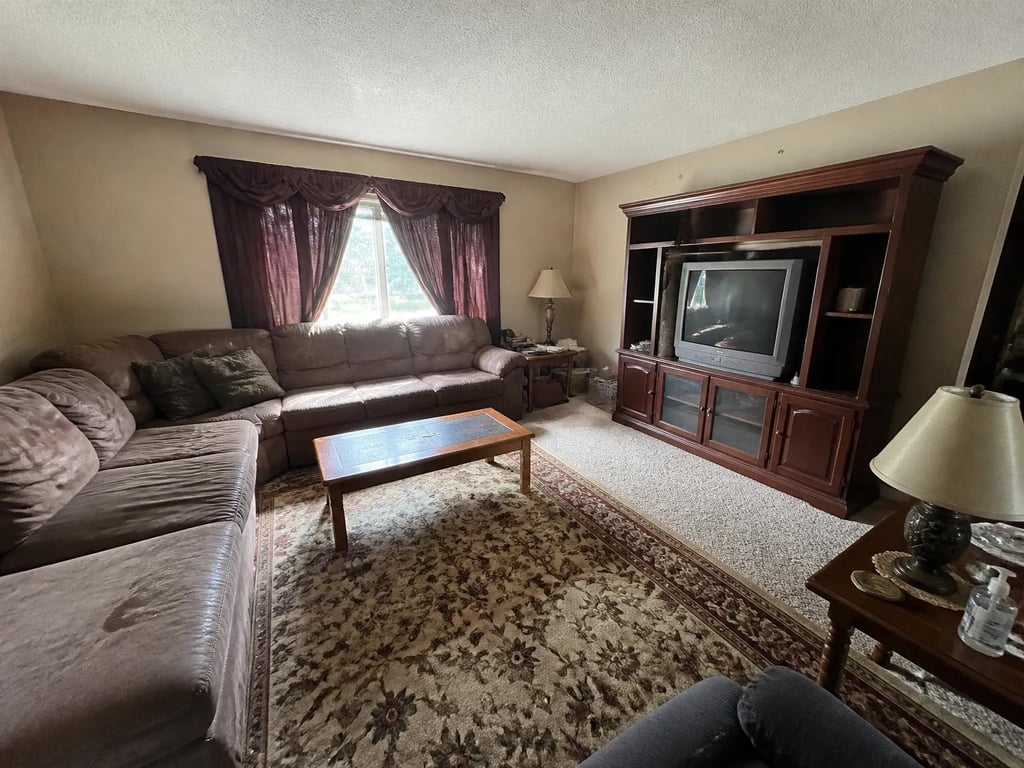
Vacant unit between tenants
The default case — stage the unit during the turn, then re-use the set every future lease.
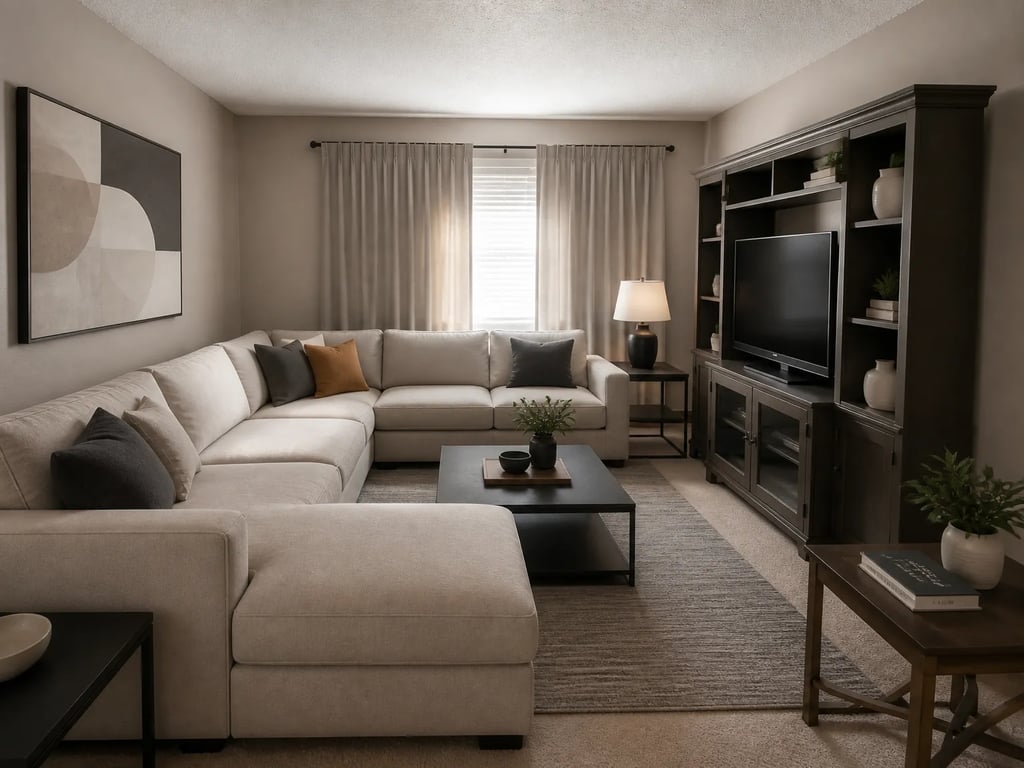 BeforeAfter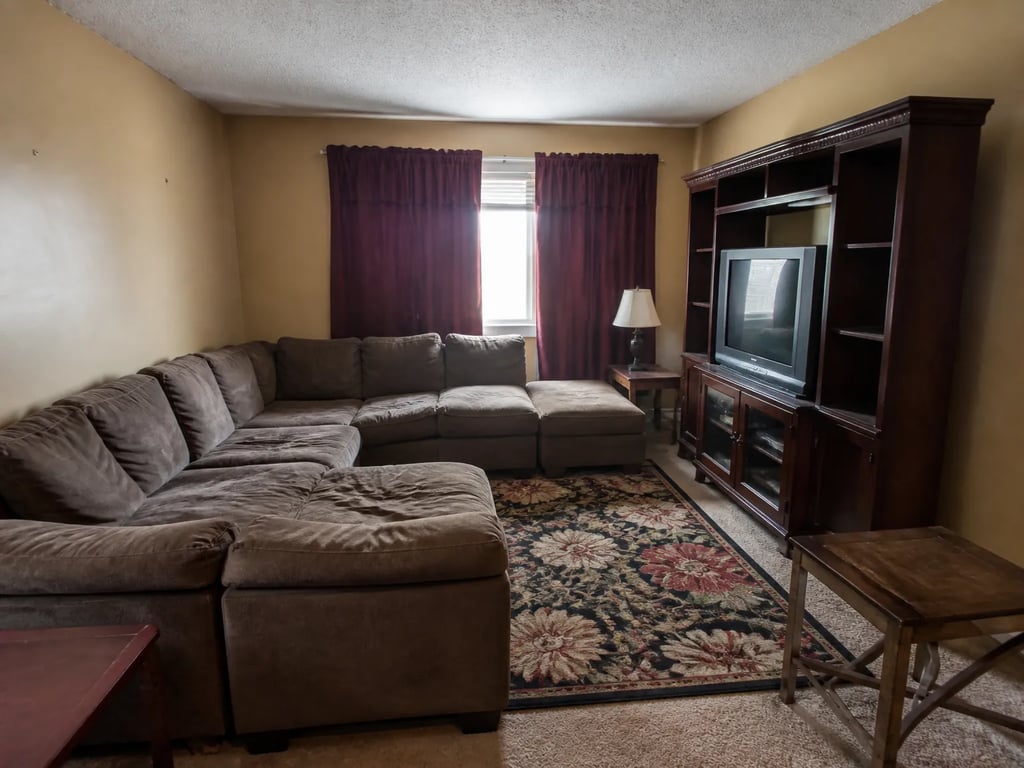
Occupied unit declutter
Clear the tenant's clutter and reset the register without asking anyone to vacate.
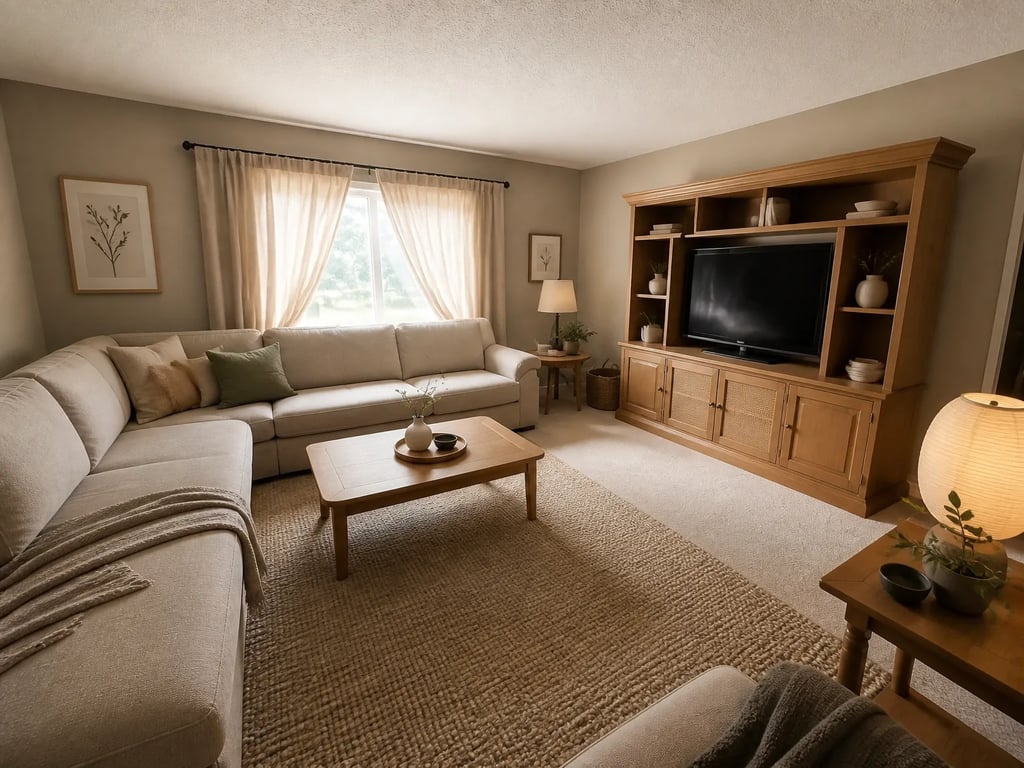 BeforeAfter
One floor plan, many identical units
Stage a single model unit per floor plan — the same set works for every identical unit.
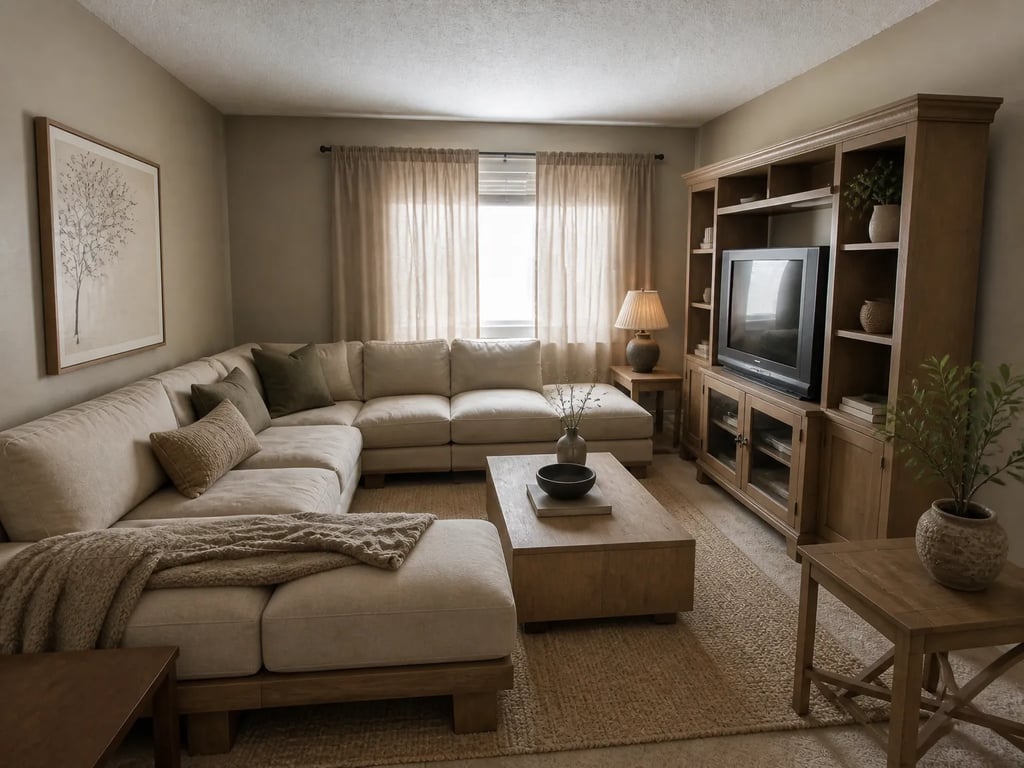 BeforeAfter
Empty amenity room
Furnish the gym, lobby, or lounge tab — props and warm lighting — without a photoshoot.
BeforeAfterMulti-unit batch turn
Turn several units at once — one style brief keeps the whole building’s listings consistent.
BeforeAfterMulti-angle unit set
Apartments.com shows several angles of one unit — multi-angle staging keeps them consistent.
Apartments.com publishers on Vestaro
How property managers publishing to Apartments.com actually use it.
We turn dozens of units a quarter, and shooting each one furnished was never going to happen. Now we photograph the unit empty during the turn and stage it in Vestaro. Tour requests on the staged listings are noticeably ahead of the bare ones.
Marisol R.Property Manager, Dallas, TXI have one floor plan that repeats across forty units. I stage one model set, re-use it for every identical unit, and re-stage with a fresh brief each lease cycle. No photographer, no waiting — the listing always looks current.
Andre P.Leasing Manager, Atlanta, GAThe amenity tabs were always our weak spot — an empty gym and a bare lobby. Staging those spaces with props and lighting did more for the premium feel of the building than any unit photo. Fifteen seconds each and they were live by lunch.
Jess T.Leasing Agent, Denver, COWe turn dozens of units a quarter, and shooting each one furnished was never going to happen. Now we photograph the unit empty during the turn and stage it in Vestaro. Tour requests on the staged listings are noticeably ahead of the bare ones.
Marisol R.Property Manager, Dallas, TXI have one floor plan that repeats across forty units. I stage one model set, re-use it for every identical unit, and re-stage with a fresh brief each lease cycle. No photographer, no waiting — the listing always looks current.
Andre P.Leasing Manager, Atlanta, GAThe amenity tabs were always our weak spot — an empty gym and a bare lobby. Staging those spaces with props and lighting did more for the premium feel of the building than any unit photo. Fifteen seconds each and they were live by lunch.
Jess T.Leasing Agent, Denver, CO
Pricing for Apartments.com publishers
Per-render pricing that fits a 30–50 photo rental listing.
Most property managers publishing to Apartments.com land on Pass — enough volume for a full Diamond-tier photo bar across several units a month. High-turn portfolios go Member.
Drop-in
Each image reviewed before delivery.
180 renders / year · billed annually
For solo agents working a few listings at a time.
Pass
Most popularEach image reviewed before delivery.
600 renders / year · billed annually
For active agents with steady listings.
Member
Each image reviewed before delivery.
1,800 renders / year · billed annually
For studios and teams with high listing volume.
What rental publishers ask before signing up
Common questions
Yes. Apartments.com accepts virtually staged photos. The CoStar best-practice guidance is to label staged photos with a 'Virtually Staged' note in the photo caption — the same convention as the MLS-driven portals. Vestaro output is policy-neutral; the disclosure is the lister's responsibility under local advertising rules.
The decision window is much shorter — renters decide in days, not months — and the goal is a tour request, not an offer. That favors simpler, broadly appealing registers (modern, neutral, liveable) over aspirational editorial staging. Vestaro covers both; the rental brief usually sits at the safer end of the library.
Apartments.com is property-manager-driven, not MLS-driven. You upload directly through the CoStar dashboard — the same one that controls your tier, rent ranges, and contact form. Photos syndicate across the CoStar rental network (ForRent.com, ApartmentFinder, ApartmentHomeLiving, Doorsteps, Westside Rentals) within a few hours.
You don't need to re-shoot — the empty-unit source photos stay valid for years. You can re-stage the same source set with a fresh style brief each lease cycle (modern this year, cozy next) to keep the listing visually fresh without booking another photographer.
Diamond and Platinum tiers display up to ~50 photos; Silver and Gold cap near ~25; basic listings show ~12. Top-converting rental listings sit near the tier ceiling — enough variety to cover the unit, the amenity spaces, the floor plan, and the building exterior. Vestaro per-render pricing makes the full set affordable.
Direct CoStar dashboard uploads typically reflect on Apartments.com within about 30–60 minutes and across the rest of the rental network within a few hours. Vestaro's 15-second render time means you can stage in the morning and have a fresh listing by lunchtime.
Run a listing portal or MLS? Embed the studio in your upload flow with per-platform export presets and an API.
For portals & MLS →More platforms
Stage for the other listing platforms too.
Same product underneath — different photo rules, display slots, and buyer feed.
View all platforms →Get started
Your next listing deserves better photos.
Start staging in seconds. No credit card, no design skills.
Drag & drop your listing photo here
JPG, PNG, WebP, AVIF, HEIC
Trademark notice. Vestaro is an independent service. Apartments.com, ForRent.com, ApartmentFinder, ApartmentHomeLiving, Doorsteps, and Westside Rentals are trademarks of CoStar Group, Inc. or its affiliates. Vestaro is not affiliated with, endorsed by, or sponsored by CoStar Group, Inc. All trademarks belong to their respective owners.