
№ 01 — For Homes.com listings
Virtual staging for the portal that keeps
your name on the listing.
Homes.com sends every lead on your listing back to you, not to a competing buyer's agent. That makes the hero photo worth staging well — it's your listing, your lead, your reputation. Vestaro stages that hero, and the rest of your carousel, in about 15 seconds each at the resolution Homes.com expects, with one style brief across the whole set.
拖拽或点选 JPG / PNG。两张免费试用,无需注册无需绑卡。
 原图成图
原图成图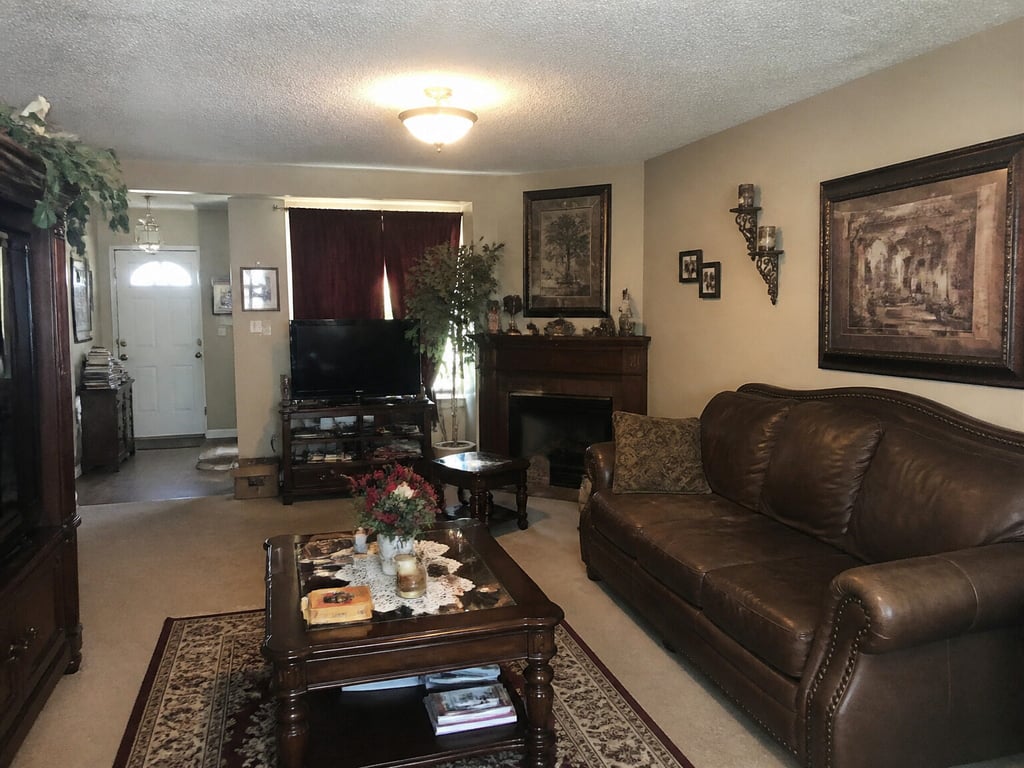
Used by agents publishing to Homes.com in Austin, Charlotte, Nashville, Phoenix, and Denver
Independent service. Not affiliated with or endorsed by CoStar Group, Inc. Disclosure of virtual staging is the listing agent’s responsibility.
№ 08 — In the field
Working with listing teams across Los Angeles, Charlotte, Chicago, and a steady handful of independent brokerages.








Why Homes.com listings need different photos
Your Listing, Your Lead — so the photos are worth getting right.
The lead comes back to you
Homes.com's agent-first model attributes the listing and its leads to the listing agent — not to a buyer's agent who bought the lead. When the inquiry lands in your inbox, the hero photo is the first impression of your work. A staged hero earns more of those inquiries.
Leads attributed to the listing agent
A fast-growing feed to stand out in
Homes.com, operated by CoStar, has grown into one of the most-visited portals in the category, and the feed keeps adding listings. Vacant rooms, dim lighting, and inconsistent angles get scrolled past. A clean, consistently staged set keeps your listing from blending into the scroll.
Growing feed, more listings to beat
The whole carousel reads as one home
Homes.com shows a full carousel of photos, and a half-staged set — one room polished, the next empty — reads as a partial listing. Vestaro keeps every photo on the same visual register, so the carousel feels intentional from the hero to the last frame.
Consistent staging across the set
Workflow
Drop Vestaro in between your photographer and Homes.com.
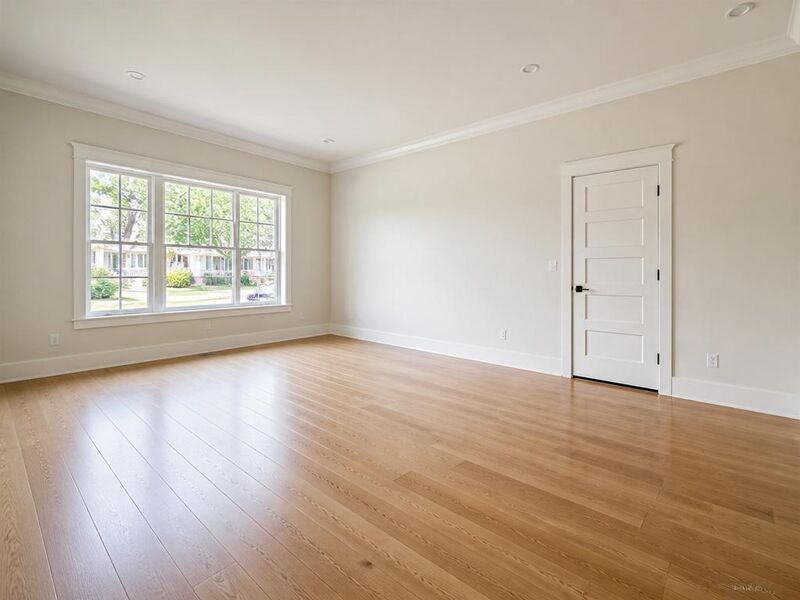


- 01
Upload your listing photos.
RAW, processed JPEG, or photographer-delivered finals — Vestaro accepts standard image files.
- 02
Stage in about 15 seconds per photo.
Pick the room and style. Multi-angle consistency is the default — every photo in the set reads as one home, not eight.
- 03
Export and publish to Homes.com.
Download standard JPGs at full resolution. Push through your MLS feed or upload to an agent-claimed listing, and add the MLS-required “Virtually Staged” caption.
Image specs
Homes.com's image requirements — and how Vestaro matches them.
Homes.com inherits most image specs from the host MLS feed and re-encodes everything for its own player. These are the numbers that actually bind once your photos land on the consumer site.
Minimum dimensions
The platform
640 × 480 px enforced by most MLS feeds; Homes.com re-renders smaller for thumbs
What Vestaro outputs
Output preserves the input resolution — a photographer file at 4K+ stays 4K+ after staging.
Recommended dimensions
The platform
~1,920 px on the long edge for the hero; ≥ 1,536 px wide for carousel photos
What Vestaro outputs
Common photographer deliveries (3000–6000px wide) pass through unchanged, so hero crops stay sharp on full-screen view.
Aspect ratio
The platform
Detail-page hero renders roughly 16:9; carousel is mixed (4:3 default); feed thumb is square
What Vestaro outputs
Furniture and styling are placed to survive both the square thumb and 16:9 hero crops — nothing critical in the cropped margins.
File format
The platform
JPEG via MLS feeds; PNG and HEIC re-encoded by Homes.com
What Vestaro outputs
JPEG or PNG export at high quality — well under every MLS upload cap.
Photos per listing
The platform
Up to ~50 displayed depending on the MLS feed contract; agent-claimed listings can add more
What Vestaro outputs
Per-render pricing scales to the full set — staging 50 photos runs about $36 on the Pass tier.
Photo order
The platform
Inherits MLS-feed order; the first photo is the hero across feed, detail, and digest
What Vestaro outputs
Stage the hero first, then kitchen, primary bedroom, and living space — Vestaro keeps one style brief across the set.
Values reflect Homes.com behavior and the typical MLS feed contract as of mid-2026. Your local MLS may impose stricter limits — always verify before publishing.
Display slots
The Homes.com surfaces you’re actually optimizing for.
Vestaro output isn't just a JPEG — it has to fit the specific surfaces Homes.com renders into.
Search-feed thumbnail
A square hero shown above the price and beds/baths in the listing feed and on map results. In a fast-growing feed, this is the photo that decides whether a buyer taps in.
Vestaro fit. Furniture is staged toward the room center so the square crop captures the whole vignette — a sofa and coffee table, not the corner of a chair.
Detail-page hero and carousel
A large 16:9 hero on the listing detail page with a tap-through carousel of the rest of the set, where buyers spend most of their time before sending an inquiry.
Vestaro fit. Consistent style, color temperature, and furniture register across the full set — no jarring shifts as buyers move through the carousel.
Neighborhood and school rails
Homes.com surfaces listings inside community and school pages as a "nearby homes" rail. The same hero photo appears here, scaled down among neighborhood content.
Vestaro fit. Bright, contrasty staging reads clearly even at rail thumbnail size — no muddy details, no over-busy compositions.
Agent profile and lead inquiry
Because the listing and its leads stay attributed to you, the hero also represents your work on your Homes.com agent profile and in the inquiry that reaches your inbox.
Vestaro fit. A consistently staged set raises the impression of your listings across every place your name appears — re-upload variants to the same listing as days-on-market builds.
Use cases
The listings that benefit most from Homes.com-tuned staging.
Six property profiles where the hero-photo lift is largest.
 原图成图
原图成图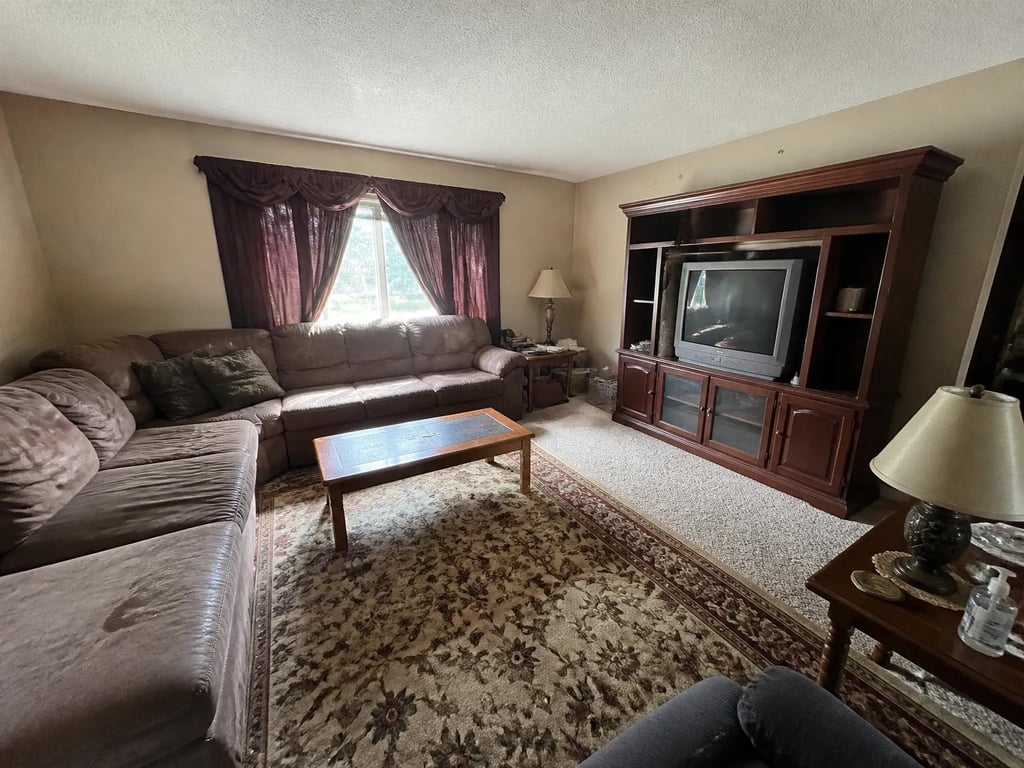
Vacant suburban single-family
Empty rooms read flat in the feed — stage the hero, living, and primary bedroom.
 原图成图
原图成图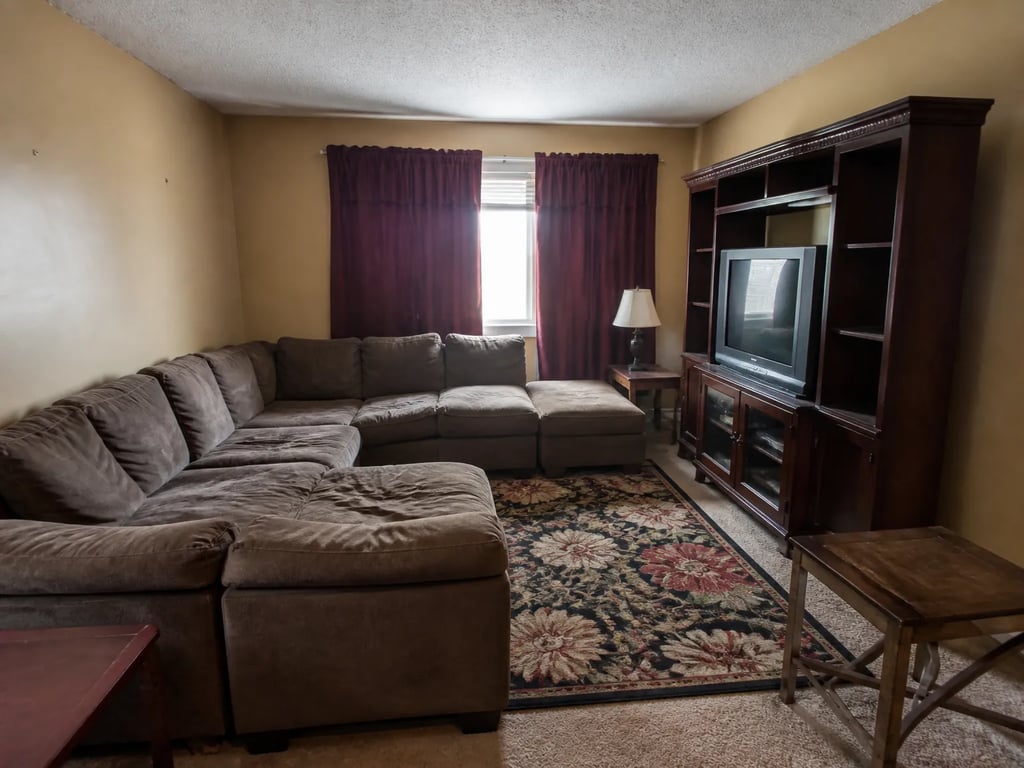
Tenant-occupied rental conversion
Restage over what's there without asking the tenant to vacate.
 原图成图
原图成图New-construction spec home
Builder photos show empty rooms; staged versions help buyers project.
 原图成图
原图成图Dated decor refresh
Replace heavy furniture with a contemporary register — same camera angle.
原图成图Exterior day-to-dusk hero
A dusk exterior reads warmer and more lived-in as the listing-feed hero.
原图成图Multi-angle living-room set
Homes.com shows several angles of one room — multi-angle staging keeps them consistent.
Homes.com publishers on Vestaro
How agents publishing to Homes.com actually use it.
On Homes.com the lead comes back to me, so the listing photos are basically my storefront. I stage the front exterior and the living room before anything goes live, and the inquiries I get are warmer because the listing looks finished.
Priya N.Listing Agent, Austin, TXI used to leave half my rooms empty in the carousel because the house was vacant. Now I stage the whole set so it reads as one home all the way through. The consistency is what buyers comment on when they call.
Greg H.Listing Agent, Charlotte, NCFifteen-second renders mean I can swap a hero in the afternoon if a listing goes stale. I update the photos, the MLS feed pushes to Homes.com, and the feed photo refreshes by the next day.
Dana L.Listing Agent, Nashville, TNOn Homes.com the lead comes back to me, so the listing photos are basically my storefront. I stage the front exterior and the living room before anything goes live, and the inquiries I get are warmer because the listing looks finished.
Priya N.Listing Agent, Austin, TXI used to leave half my rooms empty in the carousel because the house was vacant. Now I stage the whole set so it reads as one home all the way through. The consistency is what buyers comment on when they call.
Greg H.Listing Agent, Charlotte, NCFifteen-second renders mean I can swap a hero in the afternoon if a listing goes stale. I update the photos, the MLS feed pushes to Homes.com, and the feed photo refreshes by the next day.
Dana L.Listing Agent, Nashville, TN
Pricing for Homes.com publishers
Per-render pricing that fits the Homes.com photo cap.
Most agents publishing to Homes.com land on Pass — enough volume for a 30–50 photo set across several listings a month. High-volume publishers go Member.
Drop-in
Each image reviewed before delivery.
180 renders / year · billed annually
For solo agents working a few listings at a time.
Pass
Most popularEach image reviewed before delivery.
600 renders / year · billed annually
For active agents with steady listings.
Member
Each image reviewed before delivery.
1,800 renders / year · billed annually
For studios and teams with high listing volume.
What Homes.com publishers ask before signing up
Common questions
Yes. Homes.com displays whatever the host MLS feeds it, and accepts virtually staged photos as long as the listing complies with the MLS's disclosure rules — typically a 'Virtually Staged' label in the photo caption or remarks. Vestaro output is policy-neutral; the disclosure is your responsibility.
Homes.com, operated by CoStar, attributes the listing and its leads to the listing agent rather than selling the lead to a competing buyer's agent. The inquiries on your listing come back to you, which makes the hero and carousel worth staging well — they're the first impression behind every lead you receive.
Homes.com doesn't downrank for virtual staging. A complete, consistently staged set reads as a finished listing in a fast-growing feed, which helps it earn taps and inquiries. The downside risk is buyer trust if you don't disclose; the upside is a listing that stands out instead of blending into the scroll.
Homes.com displays up to roughly 50 photos depending on the MLS feed contract, and agent-claimed listings can add more. Top-performing listings cover every room and angle without padding. Vestaro per-render pricing makes the full set economical — about $36 for 50 photos on Pass.
For most listings Homes.com ingests from your MLS feed and refreshes automatically. For agent-claimed listings you can also upload and re-order photos directly in your Homes.com agent dashboard. Vestaro output works for both paths — it exports standard JPGs at full resolution.
Most MLS feeds push updates to Homes.com within a day. Vestaro's 15-second render time means you can stage a fresh hero in the morning and have it live on Homes.com by the next day at the latest.
Run a listing portal or MLS? Embed the studio in your upload flow with per-platform export presets and an API.
For portals & MLS →More platforms
Stage for the other listing platforms too.
Same product underneath — different photo rules, display slots, and buyer feed.
View all platforms →Get started
Your next listing deserves better photos.
Start staging in seconds. No credit card, no design skills.
Drag & drop your listing photo here
JPG, PNG, WebP, AVIF, HEIC
Trademark notice. Vestaro is an independent service. Homes.com is operated by CoStar Group, Inc.; Homes.com, CoStar, Apartments.com, and LoopNet are trademarks of CoStar Group, Inc. or its affiliates. Vestaro is not affiliated with, endorsed by, or sponsored by CoStar Group, Inc. All trademarks belong to their respective owners.