
№ 01 — For Realtor.com listings
Stage the MLS set once,
and Realtor.com shows it clean.
Realtor.com is fed directly from the MLS, so most of your photos arrive through your MLS feed, not a separate upload. That means there is one place to get the set right: the MLS. Vestaro stages that set in about 15 seconds per photo — one style brief across every room and angle — so the Realtor.com gallery reads as one home all the way through.
Glissez-déposez un JPG ou PNG, ou parcourez. Deux rendus gratuits — sans inscription, sans carte.
 AvantAprès
Used by agents publishing through their MLS to Realtor.com in LA, NYC, Chicago, Dallas, and Atlanta
Independent service. Not affiliated with or endorsed by Move, Inc. Disclosure of virtual staging is the listing agent’s responsibility per local MLS rules.
№ 08 — In the field
Working with listing teams across Los Angeles, Charlotte, Chicago, and a steady handful of independent brokerages.








Why Realtor.com listings need different photos
Realtor.com is MLS-fed and accuracy-first.
The MLS feed is the source of truth
Realtor.com, operated by Move, Inc., pulls listing data directly from MLS feeds rather than separate agent uploads. The photos buyers see on Realtor.com are the photos that live in your MLS. Stage the MLS set correctly and Realtor.com inherits a clean gallery automatically.
Most photos flow in through your MLS feed
An accuracy-led audience
Realtor.com built its reputation on listings sourced straight from the MLS, so the buyers who come here trust the data and read the full set carefully. Vacant rooms or staging that shifts photo to photo undercuts that trust. Vestaro keeps every image on the same visual register.
Buyers who came for accurate MLS data
A deep, swipeable gallery
Realtor.com supports a large photo set per listing and most agents fill it. Buyers tap through the full gallery, so one staged hero is not enough — the whole set has to hold together. Vestaro stages every photo from one brief in a single pass.
A full gallery, not just a hero
Workflow
Stage at the MLS, and Realtor.com picks it up.
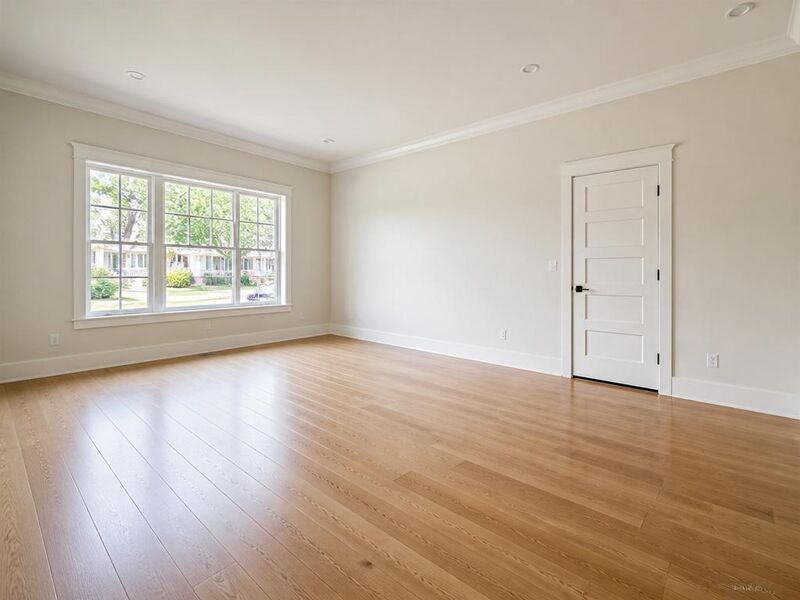


- 01
Upload your listing photos.
Photographer-delivered finals, processed JPEGs, or restage-over-tenant-furniture sources — Vestaro accepts standard image files.
- 02
Stage the full set in about 15 seconds per photo.
Pick the hero, kitchen, primary bedroom, living room, and exterior. Multi-angle consistency is the default — one style brief carries across every photo so the gallery reads as one home.
- 03
Upload to your MLS — Realtor.com picks it up.
Export MLS-ready JPGs at full resolution and load them into your MLS. Realtor.com ingests the photos on its usual feed cycle. Add the MLS-required “Virtually Staged” caption per your local rules.
Image specs
Realtor.com photo requirements — and how Vestaro matches them.
Realtor.com inherits image specs from the host MLS, then re-encodes for the consumer-facing gallery. These are the constraints that actually bind when you publish.
Minimum dimensions
The platform
640 × 480 px enforced by most MLS feeds; Realtor.com re-renders to fit its gallery.
What Vestaro outputs
Output preserves the input resolution — a photographer file at 2000px+ stays at that resolution after staging, never the lower bound.
Recommended dimensions
The platform
1,024 × 768 px minimum, ~1,920 × 1,440 px ideal for a sharp full-screen gallery
What Vestaro outputs
Common photographer deliveries (3000–6000px wide) pass through unchanged, so gallery photos stay sharp on retina laptops.
Aspect ratio
The platform
Gallery renders roughly 4:3; vertical photos get letterboxed; search thumb is a center crop
What Vestaro outputs
Native horizontal photography — the default photographer output — renders cleanly. Furniture and styling sit clear of the cropped margins.
File format
The platform
JPEG via most MLS feeds; PNG and HEIC are re-encoded or rejected
What Vestaro outputs
MLS-ready JPEG export by default at high quality. PNG export is available if your MLS supports it.
Photos per listing
The platform
A large set displayed — more headroom than most major platforms
What Vestaro outputs
Per-render pricing scales to the full set, so staging every room and angle stays affordable on the Pass tier.
Photo order
The platform
Inherits MLS-feed order; the first photo is the hero across search, detail, and email
What Vestaro outputs
Stage and number with intent in your MLS upload — hero first, then kitchen, primary bedroom, and living space — Vestaro holds one style brief across the set.
Values reflect Realtor.com behavior and the typical MLS feed contract as of mid-2026. Your local MLS may impose stricter limits — always verify before publishing.
Display slots
The Realtor.com surfaces you’re actually optimizing for.
Realtor.com renders into more surfaces than most platforms, and every one of them is fed from the same MLS set — so getting that set right covers all of them at once.
Search-results card
The card in the buyer search feed: a center-cropped hero photo above price and beds/baths. Realtor.com is dense, so the photo has to read clearly at small sizes.
Vestaro fit. Bright, well-staged hero photos read at thumbnail scale — no over-busy compositions, no muddy mid-tones.
Detail-page gallery
The main listing experience: a tap-through gallery of every photo, where buyers spend most of their time before deciding to inquire.
Vestaro fit. Consistent style, color temperature, and furniture register across the full set — no jarring shifts as buyers swipe room to room.
Listing Toolkit and Pro lead view
The view buyer-side agents see in the Realtor.com Listing Toolkit when reviewing listings to recommend to clients. A complete photo set signals a serious listing.
Vestaro fit. Stage every key room — kitchen, primary, living, exterior — even small or empty ones, so the lead view shows a full home rather than a partial set.
Email-digest and saved-listing hero
Saved-listing emails and “new listings near you” digests all reuse the hero photo. As days-on-market builds, the same photo lands in front of buyers repeatedly.
Vestaro fit. Restage a fresh day-to-dusk hero after a few weeks and re-feed it through the MLS — a free re-engagement lift without a reshoot.
Use cases
The listings that benefit most from a clean MLS set.
Six property profiles where staging the MLS set once pays back fastest on Realtor.com.
 AvantAprès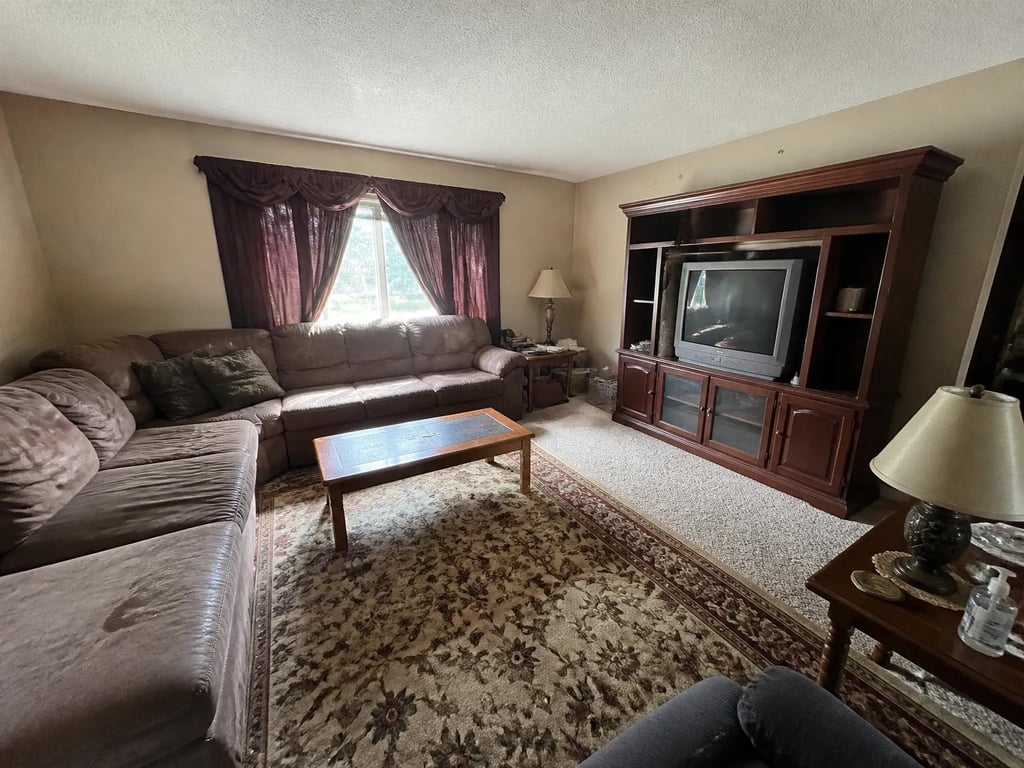
Vacant suburban single-family
Empty rooms read flat in the gallery — stage the hero, living, and primary bedroom.
 AvantAprès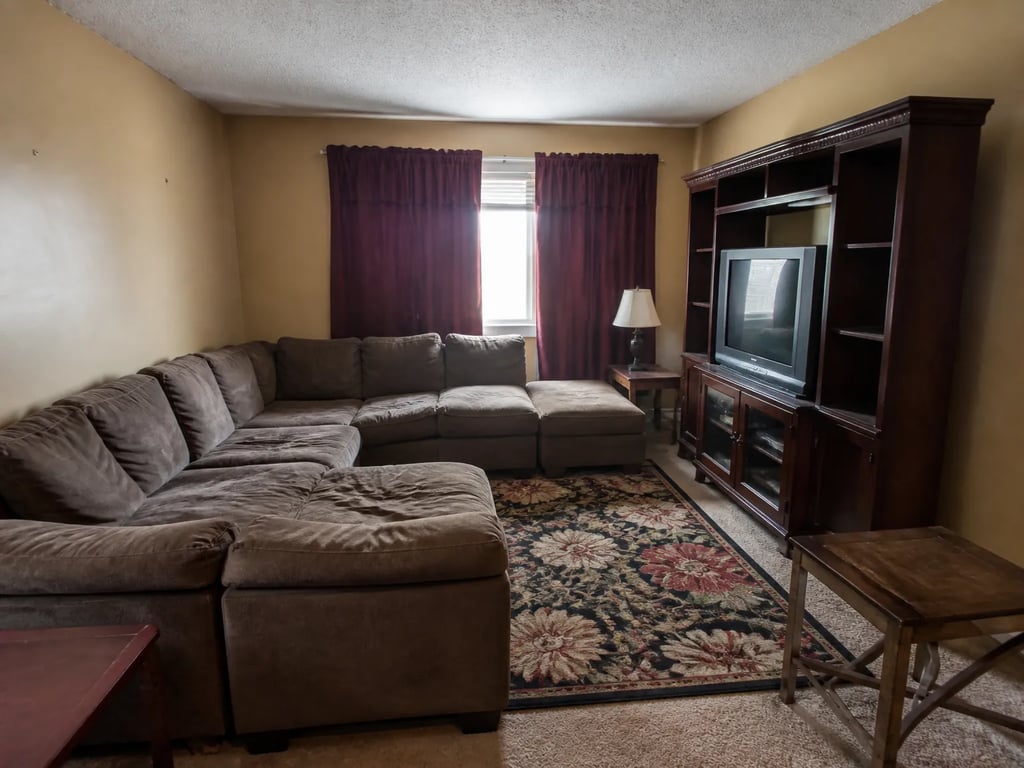
Investor-owned rental conversion
Restage over tenant or vendor furniture without scheduling a vacate.
 AvantAprès
High-volume buyer-rep listings
Agents running 20+ listings a month — per-render pricing keeps the full set under one staging-vendor hour.
 AvantAprès
Dated decor refresh
Replace heavy furniture with a contemporary register — same camera angle, same MLS slot.
AvantAprèsMid-market move-up home
Listings that get a deep photo set — multi-angle staging keeps every angle consistent.
AvantAprèsBedroom-by-bedroom multi-view
Realtor.com listings often show several bedrooms with two angles each — multi-angle staging keeps them consistent.
Realtor.com publishers on Vestaro
How agents publishing to Realtor.com actually use it.
Everything I list flows through my MLS, so I stage the whole set there before it ever syndicates. By the time it shows up on Realtor.com the gallery already reads as one home — I don’t touch it twice.
Marcus T.Listing Agent, Dallas, TXBuyers on Realtor.com really do read the full photo set. I used to leave half my rooms empty; now I stage every one for about the same as a single hour of a staging vendor. The completeness is what closes the showing.
Elena R.Listing Agent, Atlanta, GAFifteen-second renders mean I can stage a fresh hero on Monday morning, push it to the MLS, and see it live on Realtor.com by the next day. On a stale listing that little refresh earns me re-clicks.
Wei C.Listing Agent, Los Angeles, CAEverything I list flows through my MLS, so I stage the whole set there before it ever syndicates. By the time it shows up on Realtor.com the gallery already reads as one home — I don’t touch it twice.
Marcus T.Listing Agent, Dallas, TXBuyers on Realtor.com really do read the full photo set. I used to leave half my rooms empty; now I stage every one for about the same as a single hour of a staging vendor. The completeness is what closes the showing.
Elena R.Listing Agent, Atlanta, GAFifteen-second renders mean I can stage a fresh hero on Monday morning, push it to the MLS, and see it live on Realtor.com by the next day. On a stale listing that little refresh earns me re-clicks.
Wei C.Listing Agent, Los Angeles, CA
Pricing for Realtor.com publishers
Per-render pricing that scales to the full MLS set.
Most agents publishing through their MLS to Realtor.com land on Pass — enough volume for a deep photo set across several listings a month, at about $0.71 per render. High-volume publishers go Member.
Drop-in
Each image reviewed before delivery.
180 renders / year · billed annually
For solo agents working a few listings at a time.
Pass
Most popularEach image reviewed before delivery.
600 renders / year · billed annually
For active agents with steady listings.
Member
Each image reviewed before delivery.
1,800 renders / year · billed annually
For studios and teams with high listing volume.
What Realtor.com publishers ask before signing up
Common questions
Yes. Realtor.com displays whatever the host MLS feeds it, and each MLS has its own disclosure rules for virtual staging — typically a 'Virtually Staged' label in the photo caption or listing remarks. Vestaro output is policy-neutral; the disclosure is the agent's responsibility per local MLS rules.
For nearly all MLS-listed properties you don't upload to Realtor.com directly — you upload to your MLS, and Realtor.com ingests the photos on its feed cycle. Realtor.com Pro and the Listing Toolkit add analytics and lead routing on top of MLS data, but the photos still flow through the MLS. That's why staging the MLS set correctly once is the whole job.
Realtor.com surfaces what your MLS feeds it and rewards complete, accurate listings. There's no penalty for virtual staging itself. The real risk is buyer trust if you don't disclose; the upside is a full, consistent gallery that holds attention through the whole set.
Realtor.com supports a deep photo set — more headroom than most major platforms — and top-performing listings fill most of it. Vestaro per-render pricing makes the full gallery affordable, where a traditional staging vendor would cap your budget at a handful of rooms.
No, as long as you disclose virtual staging per your MLS rules, only modify movable items rather than structural elements, and keep the property accurately represented. Vestaro defaults preserve walls, floors, windows, and ceilings — only furniture and decor change — and output is MLS-ready JPG or PNG with no watermark on paid plans.
Once you update photos in your MLS, Realtor.com refreshes on its usual feed cycle — typically within hours. Vestaro's 15-second render time means you can stage a fresh hero in the morning, push it to the MLS, and see it live on Realtor.com by the next day at the latest.
Run a listing portal or MLS? Embed the studio in your upload flow with per-platform export presets and an API.
For portals & MLS →More platforms
Stage for the other listing platforms too.
Same product underneath — different photo rules, display slots, and buyer feed.
View all platforms →Get started
Your next listing deserves better photos.
Start staging in seconds. No credit card, no design skills.
Drag & drop your listing photo here
JPG, PNG, WebP, AVIF, HEIC
Trademark notice. Vestaro is an independent service. Realtor.com and the Realtor.com logo are trademarks of Move, Inc., operated under license from the National Association of REALTORS. Vestaro is not affiliated with, endorsed by, or sponsored by Move, Inc. or the National Association of REALTORS. All trademarks belong to their respective owners.