
№ 17 — Interior renovation · Walls, floors & renovation
Interior renovation — show the room as it could be.
Render a renovation concept into an existing room — kitchen, bath, floors, walls — paired with the as-is frame for a Renovation Concept package.
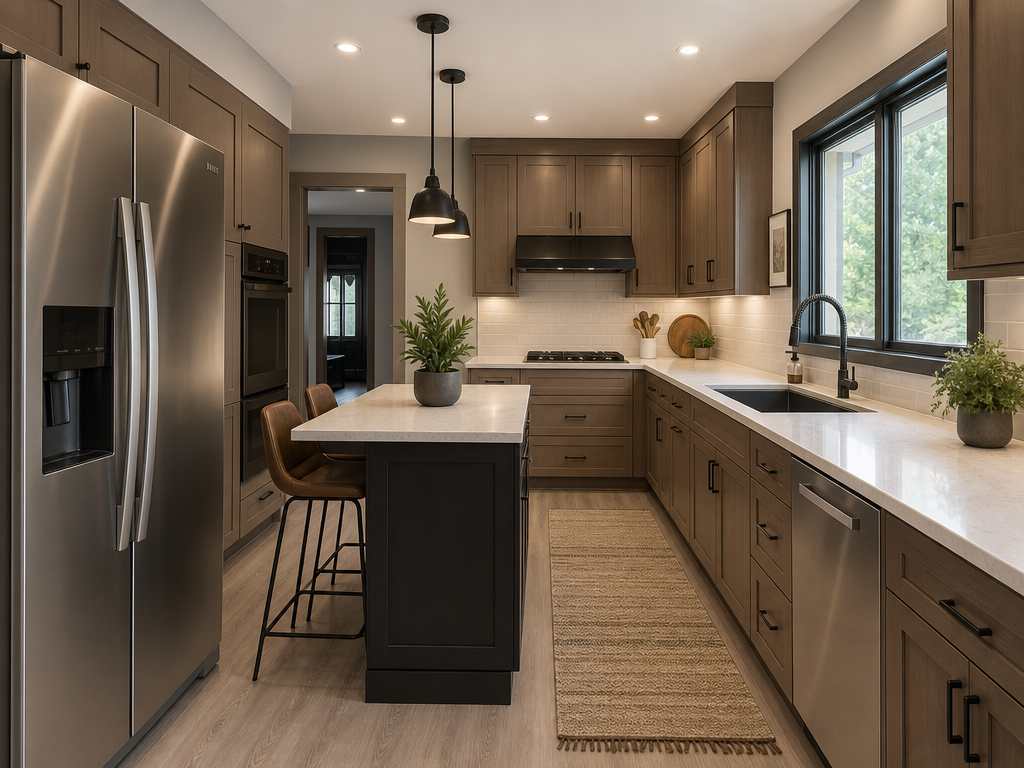 BeforeAfter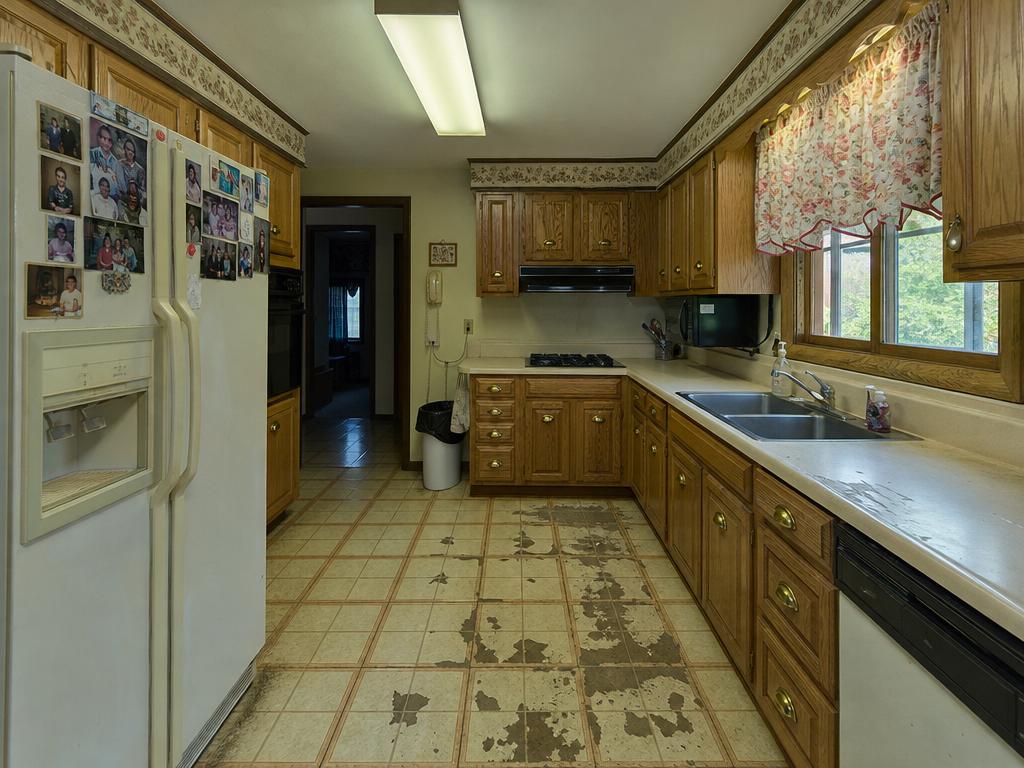
Renovation · concept render
More before / afters
Bathroom luxury
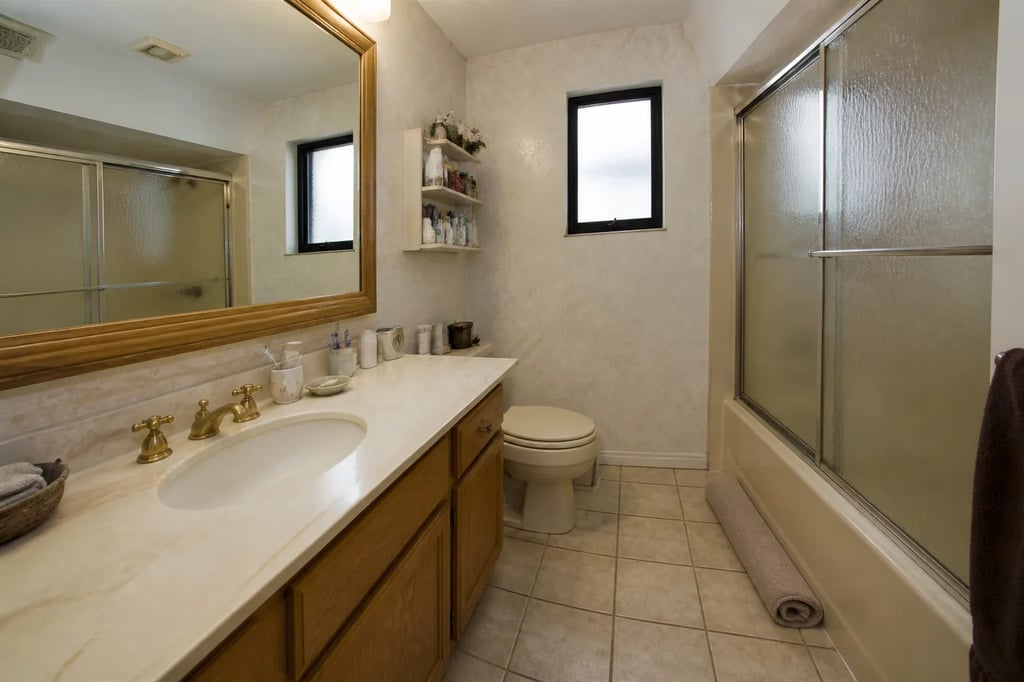

Bathroom luxury
Render a renovation concept into an existing room — kitchen, bath, floors, walls — paired with the as-is frame for a Renovation Concept package.
Drag to compare · 01 / 06
The problem
The listing is a fixer-upper. Buyers will discount it without help imagining the home it could be. Interior renovation renders a credible renovation concept into the same room — kitchen, bath, floors, walls — without touching the bones of the building.
The standard
- Windows, doorways, and load-bearing walls stay where they are.
- New finishes match the room’s scale and the listing’s region.
- Output is marked Renovation Concept on every export so disclosure is unambiguous.
The handoff
Paired with the as-is frame on every page. Marked Renovation Concept on every export.
Companion tools
Renovation belongs to the Walls, floors & renovation group. Pair with the floor plan tool when the listing also needs a sited 3D plan.
When Vesta runs it
Step 01 of the Fixer-Upper Concept run — applied to the rooms that move the listing (kitchen, bath, floors, walls).
Field notes
Read the studio note on renovation concepts that respect the room’s bones.
Field reading
Compare
Aerial drone vs ground exterior: when each viewpoint sells the listing
A drone shot shows the lot. A ground shot shows the entry. Both belong in a serious listing — but they answer different questions, and most marketing campaigns lead with the wrong one.
Compare
Virtual repaint vs actual painting: render the color first
A wall painted the wrong color costs $400-$800 to redo. A virtual repaint costs minutes. A practical guide to using virtual paint as the conversation before committing — for sellers, agents, and the buyers staring at a listing trying to imagine it different.
Compare
Floor plan vs 3D rendering: which one closes the new-construction sale?
A floor plan tells the buyer how the unit measures. A 3D render tells them how it lives. Both belong in a new-construction campaign — but they answer different parts of the buying decision, and most projects under-resource one of the two.
Compare
Virtual staging vs empty room photos: when empty is the right call
Virtual staging is the right move on most vacant listings — but not all of them. A practical guide to the cases where empty rooms actually photograph better, and the budget reasons to choose one over the other.
Where this lives
Part of the Walls, floors & renovation entry in the tool catalog. When several tools in this group apply to the same listing, hand the listing to Vestaand let her plan the run.
When the next listing reaches you,