
№ 28 — Restyle surfaces · Staging & furniture
Restyle surfaces — a new finish, the same room.
Preview a countertop, backsplash, cabinet front, or wall in stone, wood, tile, or concrete on the existing photo — the layout, fixtures, and light stay exactly where the camera saw them.
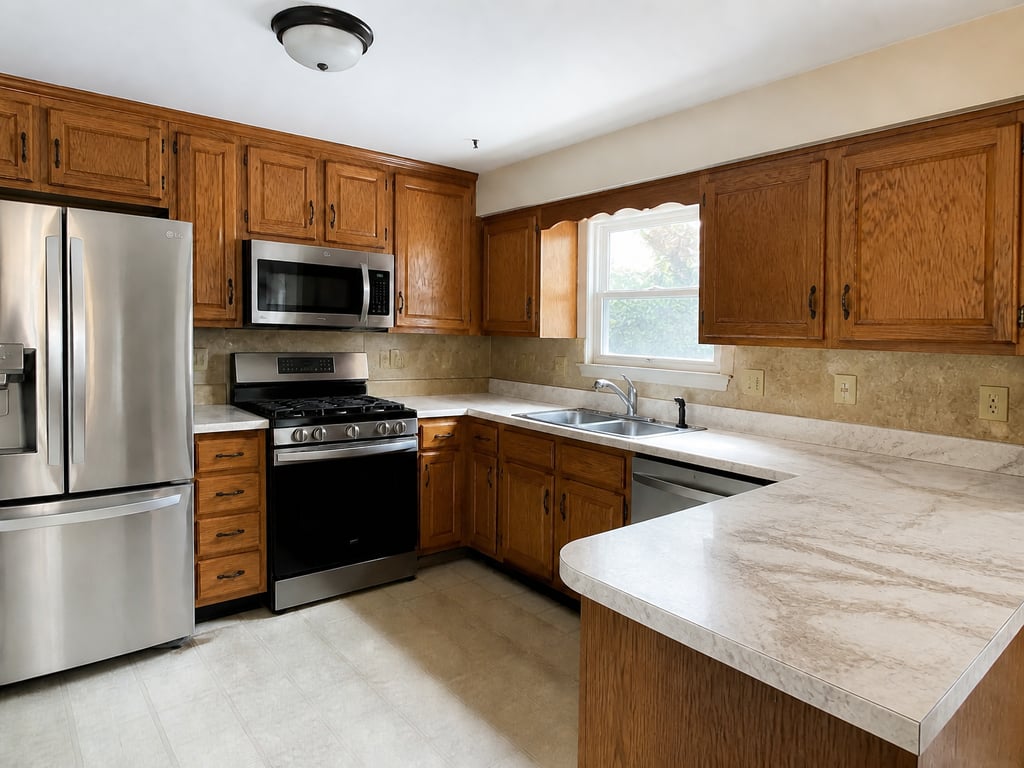 BeforeAfter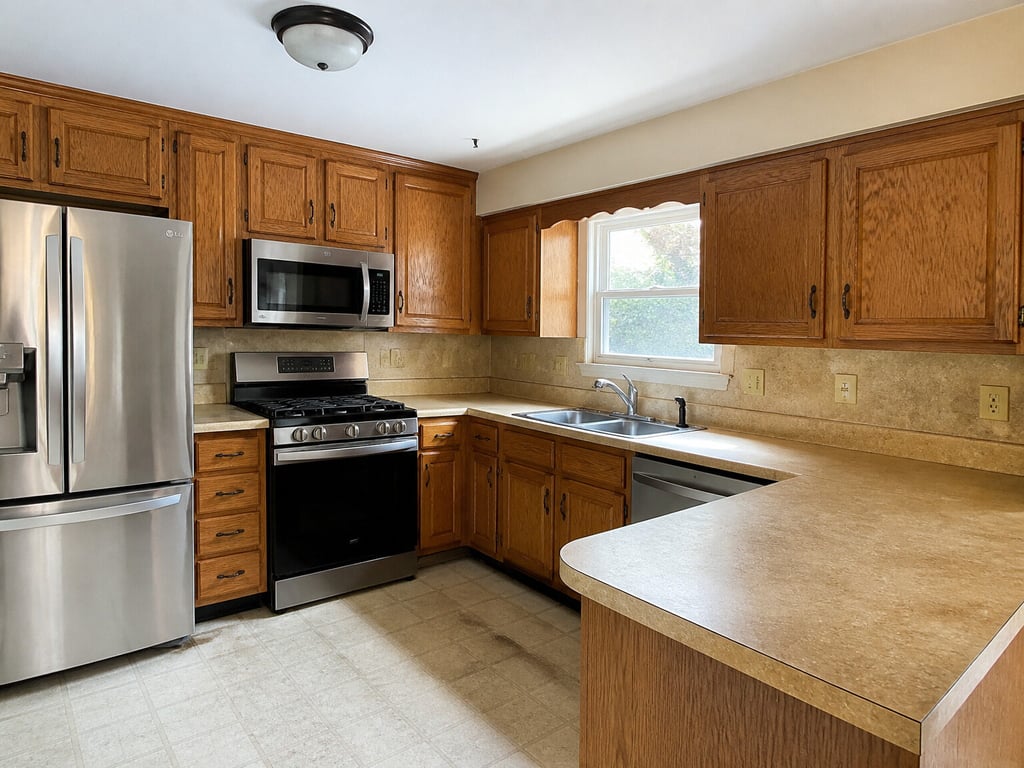
Restyle surfaces · laminate to natural stone
More before / afters
Backsplash ceramic tile
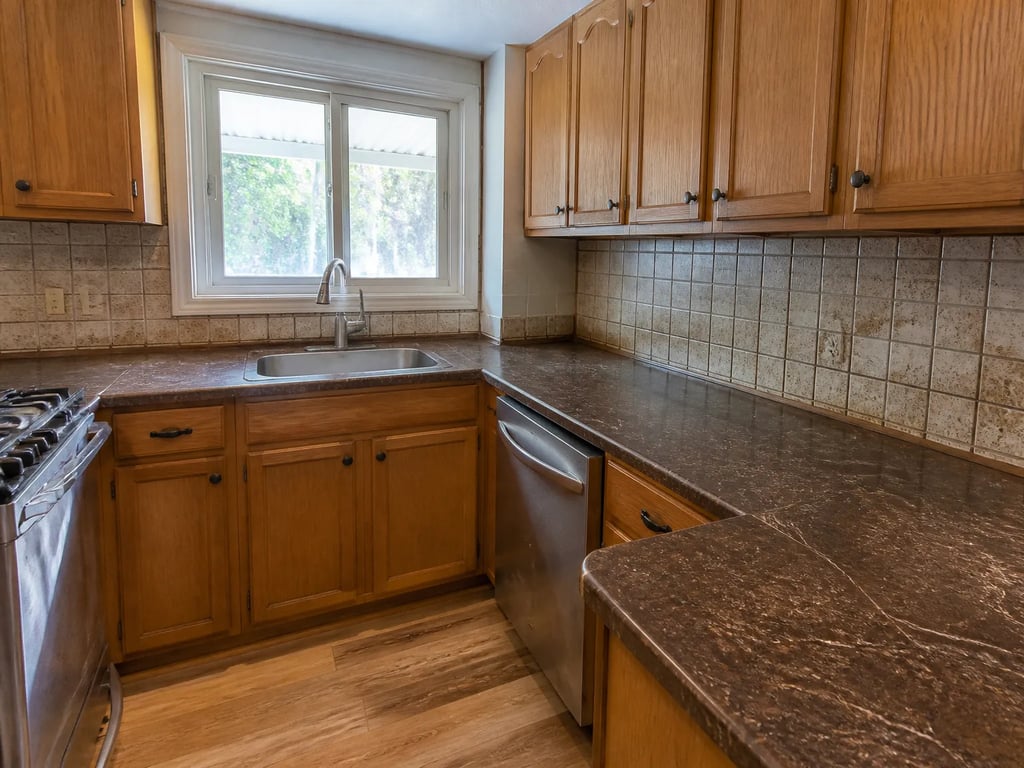
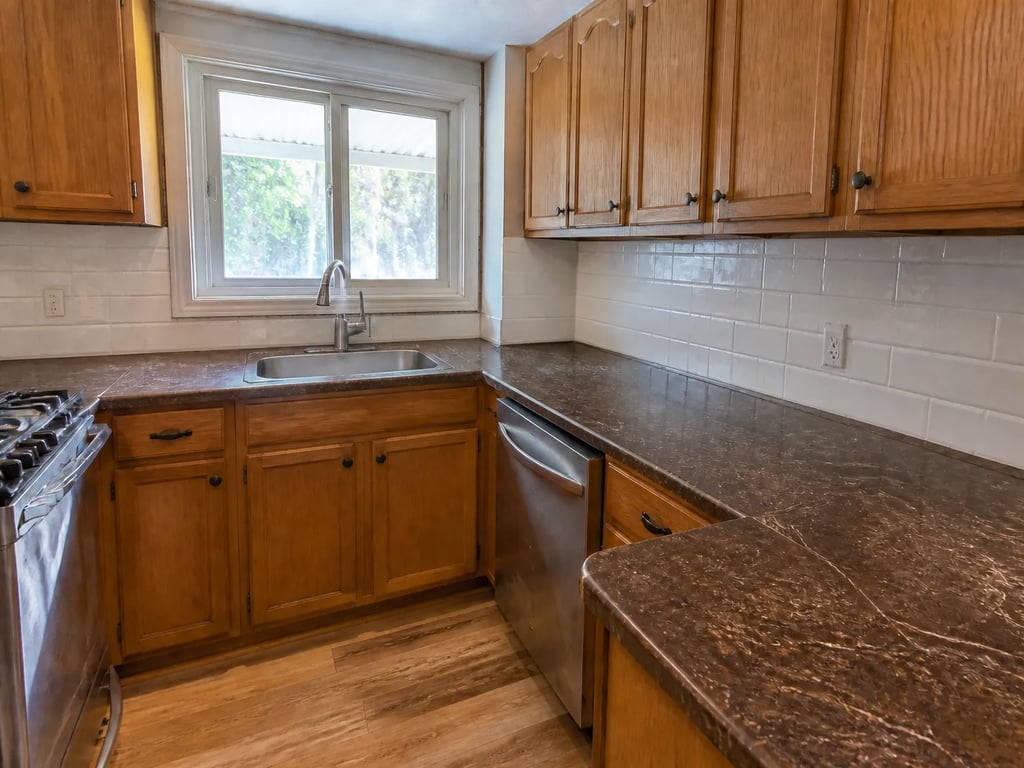
Backsplash ceramic tile
Preview a countertop, backsplash, cabinet front, or wall in stone, wood, tile, or concrete on the existing photo — the layout, fixtures, and light stay exactly where the camera saw them.
Drag to compare · 01 / 04
The problem
The layout is right, but one finish dates the room — a laminate counter, a builder-grade backsplash, oak cabinet fronts the buyer would rip out day one. Restyle surfaces renders the material they'd actually choose, so the photo shows the room's potential without a single demo day.
Pick the surface — countertop, backsplash, cabinet fronts, shelves, walls, or floor — and the material — natural stone, wood, ceramic tile, concrete, metal, or laminate. The new finish follows the room's perspective, meets the next surface with a clean edge, and keeps every other surface, fixture, and shadow exactly where it was.
The standard
- Only the surface you choose changes. Every other counter, cabinet, wall, and floor keeps its colour and material.
- Cabinet frames, hardware, knobs, faucets, and plumbing stay put — the new material fills around them, never paints over them.
- The finish obeys the room — grain, veining, and grout converge to the same vanishing point, with reflections true to the existing light.
The handoff
Hi-res JPG paired with the original, so you can show the seller the existing finish and the upgrade side by side. The manifest notes which surface and material were rendered.
Companion tools
Restyle surfaces belongs to the Staging & furniture group — the room is right, one finish lets it down. Companion tools handle the other one-pass refreshes on the same room.
When Vesta runs it
Used inside the Fixer-Upper Concept bundle when a dated counter, backsplash, or cabinet finish is part of the renovation viz.
Field notes
Read the studio note on finishes that hold up at full room scale — grain, veining, and clean edges.
Field reading
Compare
Aerial drone vs ground exterior: when each viewpoint sells the listing
A drone shot shows the lot. A ground shot shows the entry. Both belong in a serious listing — but they answer different questions, and most marketing campaigns lead with the wrong one.
Compare
Photo enhancement vs reshoot: when post-processing is enough
A weak listing photo can be fixed with post-processing or by going back and shooting again. The choice depends on which kind of weakness — and most agents reach for the more expensive option when the cheaper one would have worked.
Compare
Object removal vs decluttering: surgical edit or full pass?
Both tools take things out of a listing photo. Object removal targets one item; decluttering sweeps the room. Choosing the wrong one either misses the problem or over-edits a perfectly good photo.
Compare
Phone vs professional photography for listings: what the camera actually changes
Modern phones produce strikingly good listing photos in good conditions. Professional cameras add headroom in bad conditions. A practical comparison for hosts, solo agents, and anyone deciding whether to hire a photographer this listing.
Where this lives
Part of the Staging & furniture entry in the tool catalog. When several tools in this group apply to the same listing, hand the listing to Vestaand let her plan the run.
When the next listing reaches you,